How to Create a Website for a Museum or Heritage Site
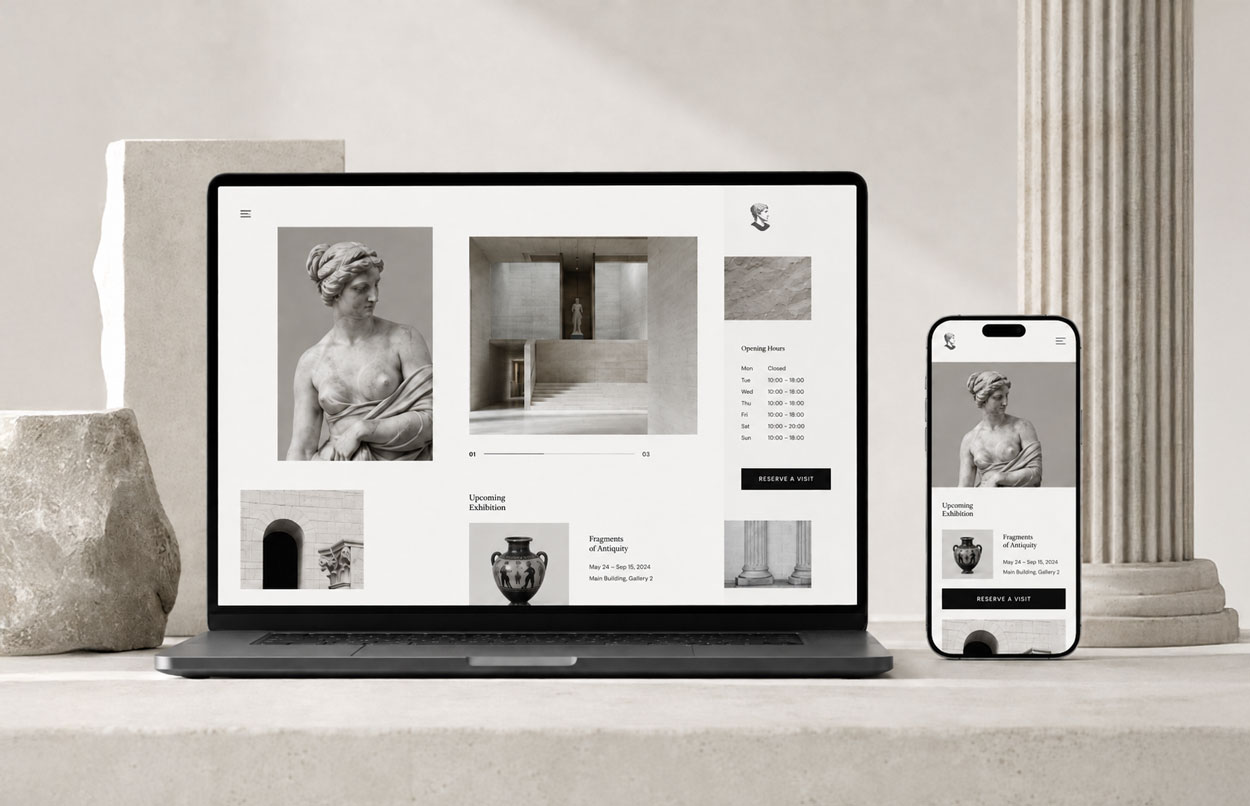
Before booking a visit, most people want quick answers to a few simple questions: what can they see, when can they visit, how do they get there, and do they need to book in advance? A good museum website should answer these questions quickly while giving enough space to collections, exhibitions, events and the identity of the institution itself.
The challenge goes far beyond a practical information page. A museum or heritage website has to serve very different audiences, support groups and schools, make content accessible, work well on mobile and allow internal teams to publish updates without relying on a developer for every change. It may also need to handle rich archival content, multilingual pages, ticketing and, in some cases, several physical locations.
These are the main points worth defining before creating or redesigning a website for a museum, monument, heritage site, foundation or other cultural institution.
A website designed around visits and different audiences
A museum does not serve a single type of user. A family may be looking for opening hours, prices and child-friendly activities. An international visitor wants to check available languages, directions and whether booking is required. A teacher may need educational resources, downloadable documents and clear instructions for organising a school visit.
There are also researchers, journalists, partners, donors and professionals looking for more institutional information. The same website therefore needs to support several user journeys without turning the navigation into an exhaustive list of services.
The priority is to identify and rank real user needs. A well-planned UX/UI design process helps define what should be immediately visible, what deserves a dedicated page and what can sit deeper in the information architecture. The website then becomes a tool that prepares the visit, supports discovery and guides each audience towards the right content.
Essential visitor information should be instantly accessible
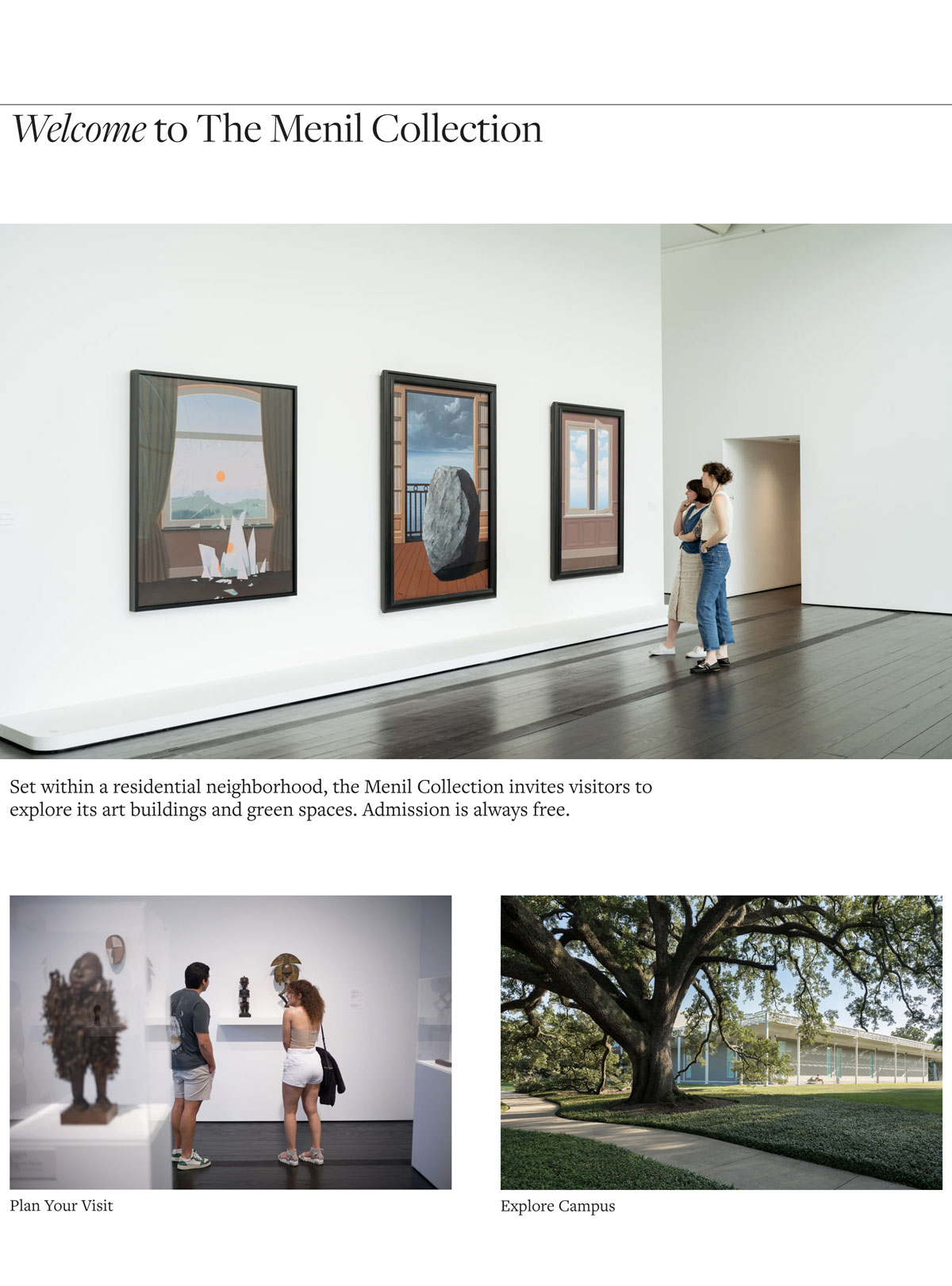
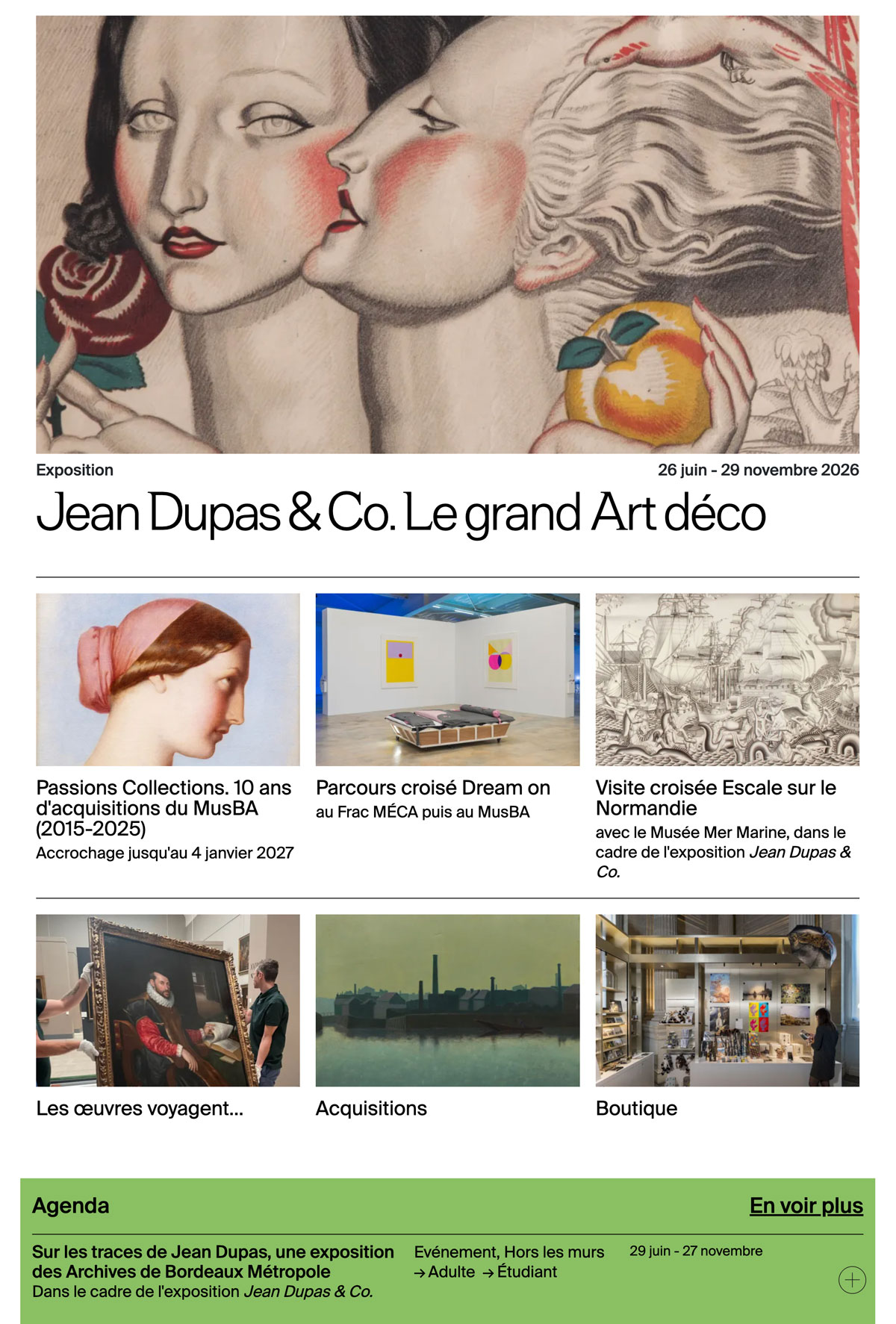
Opening hours, ticket prices, address, directions, booking, venue accessibility and exceptional closures should never take several minutes to find. These are often the details people check in a constrained context, on a phone, while travelling or shortly before arriving.
A “Visit” or “Practical information” page should ideally bring together:
- opening hours and closure periods;
- ticket prices, concessions and free-entry conditions;
- address, public transport, parking and access information;
- physical accessibility information;
- recommended visit duration;
- available services such as cloakrooms, cafés, shops or lockers;
- ticketing and booking conditions;
- an easy-to-find contact option.
The Louvre-Lens is a useful example: its navigation gives strong visibility to programming, accessibility and ticketing. The goal is not to copy its structure, but to retain the principle that practical visitor needs should remain easy to reach.
What information architecture does a museum website need?
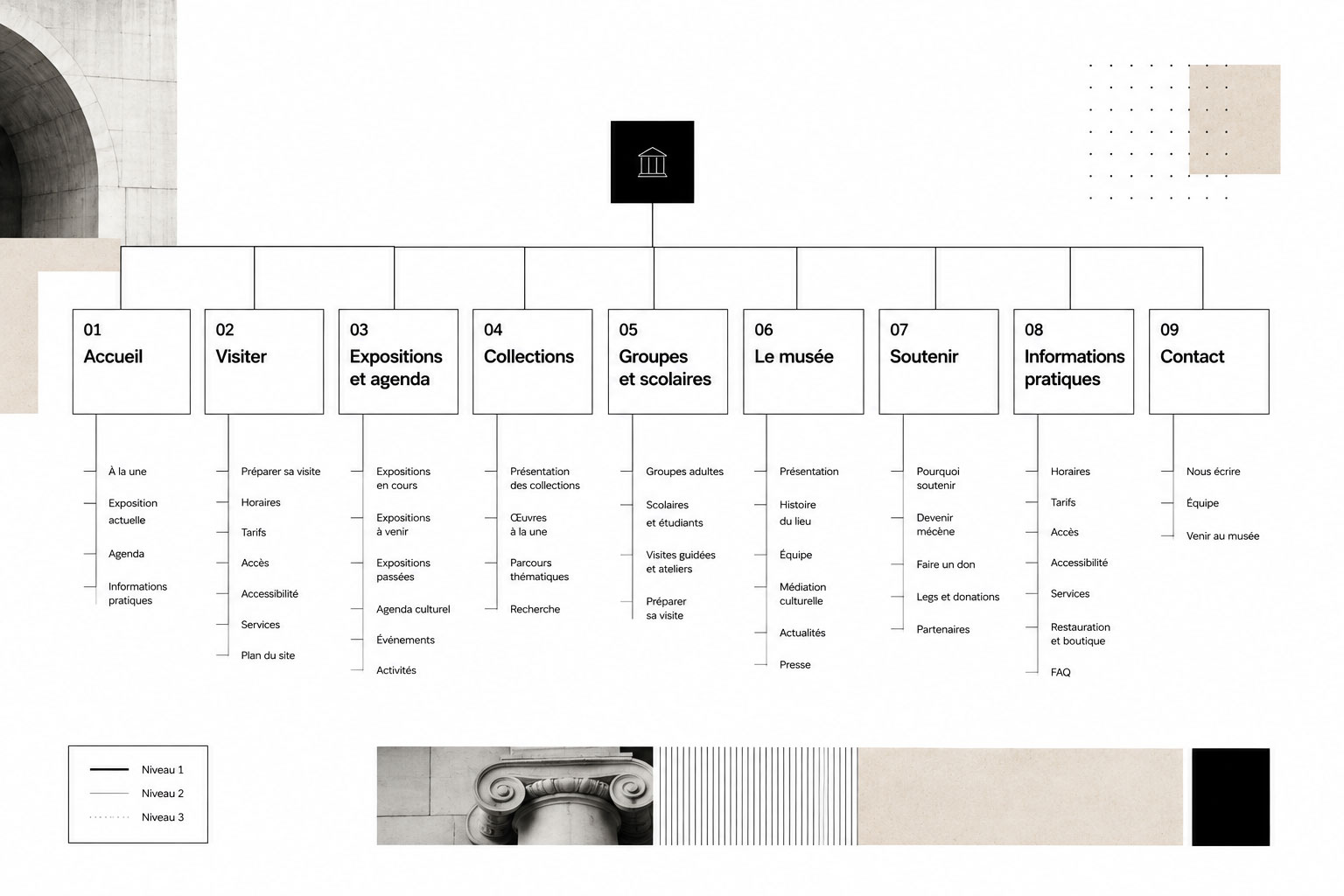
There is no universal sitemap, but a realistic starting point might include: Home, Visit, Exhibitions and Events, Collections, Groups and Schools, About the Museum, News, Support Us, Practical Information and Contact.
The structure should then be adapted to the institution. An open-air museum or ecomuseum may need to highlight several routes across a territory. A castle or historic property may prioritise visit conditions, the estate and seasonal events. A foundation may give more space to its programme, artists and initiatives. A heritage organisation managing several monuments may need users to choose a location first, before displaying location-specific information.
Before designing individual pages, I generally work on information architecture and wireframes to validate user journeys and content hierarchy. This avoids starting with visual design while the relationships between pages are still unclear.
Presenting collections without creating an unmanageable catalogue
The word “Collections” can describe very different types of content. This needs to be clarified early because the technical solution will depend heavily on the scale and complexity of the collection.
- An editorial selection: a few dozen works, objects or archives chosen to tell the story of the institution.
- Structured collections: content organised by period, theme, artist, type or gallery.
- A scholarly catalogue: detailed records, provenance, bibliographies, complex relationships and advanced search.
- An existing external database: a DAM, collections management system, institutional API or another specialist tool already used internally.
Webflow CMS can work very well for a structured selection or a reasonably sized editorial catalogue. It can support reusable item templates, categories, simple filters and relationships between content. Trying to move hundreds of thousands of scholarly records into the same CMS, however, would rarely be the right approach.
Paris Musées Collections illustrates this change in scale: it uses dedicated search, extensive filtering and a documentary structure that is quite different from a standard visitor-facing museum website. The Louvre’s online catalogue follows the same general principle. At this level, a specialised or external architecture is usually more appropriate.
A CMS the museum team can actually use
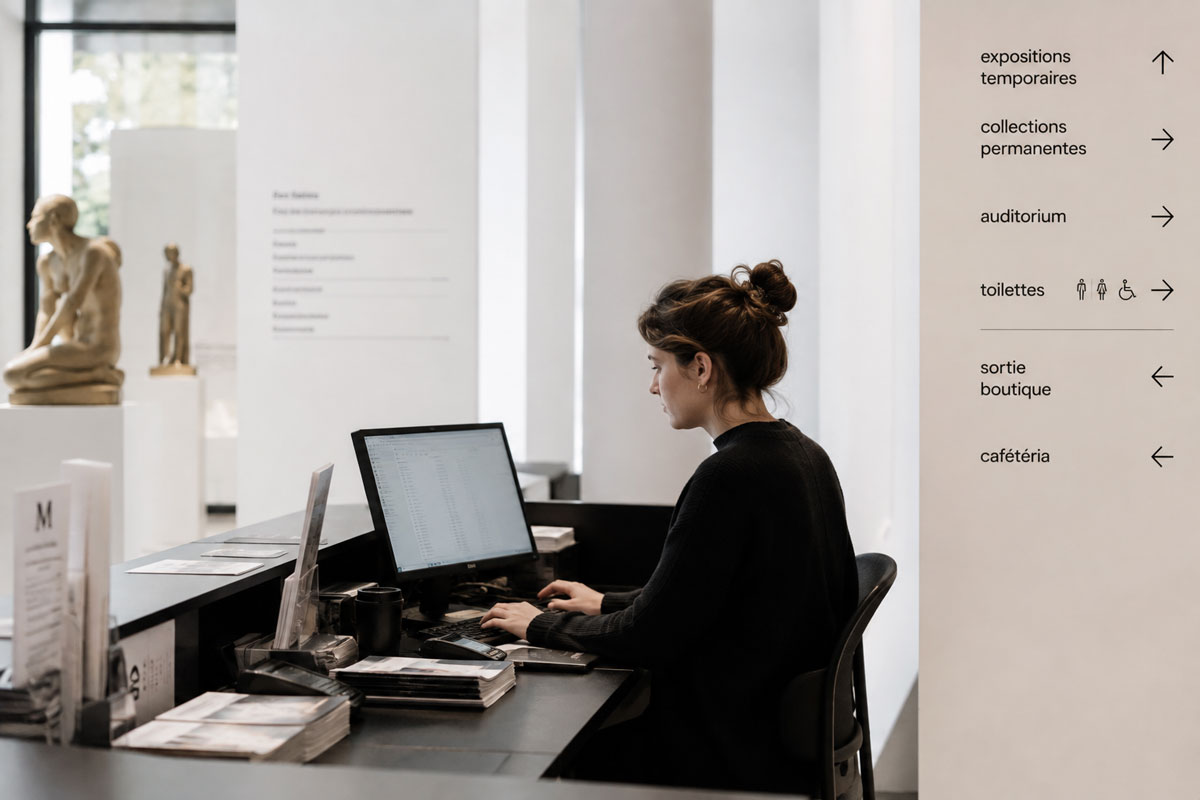
A CMS should not simply be capable of storing content. It should match the way the team works day to day. A clear setup should make it possible to add an exhibition without rebuilding a page, schedule an event, update exceptional opening hours or publish an educational resource in a few minutes.
Depending on the project, CMS collections may cover exhibitions, events, news, collection highlights, educational resources, team members, partners, press releases or practical visitor information.
Reusable templates, clearly named fields and consistent components reduce errors. Training also matters. Editorial independence does not mean leaving a team alone with a complicated tool, it means giving them a system where routine updates can be handled without ongoing technical support.
France’s Ministry of Culture highlights useful principles for cultural websites, including coherent information structures, stable URLs and clear responsibility for keeping content up to date. These principles remain relevant well beyond the French context.
Events, ticketing and external tools
A museum website often needs to connect with several external services. These may include ticketing, newsletters, a CRM, group booking forms, donations, memberships or an online shop.
There is no need to rebuild every service inside the CMS. Events can be managed directly on the website while bookings are handled by an existing ticketing platform. A group enquiry form can send requests to the appropriate internal system. An online shop can remain on a separate e-commerce platform.
The important decision is what should be native to the website to keep the experience smooth, and what should be integrated or linked cleanly. A 360-degree tour or virtual exhibition can also be useful when it genuinely supports interpretation and engagement, but it should not replace the essential visitor functions of the main website.
The Mucem is a good example of a cultural programme presented within a strong visual identity while maintaining clear distinctions between exhibitions, events and practical visit information.
Digital accessibility: WCAG, RGAA and local requirements
Accessibility should be considered from the beginning of a cultural website project. This includes heading structure, keyboard navigation, colour contrast, alternative text, forms, descriptive links, captions and transcripts, as well as accessible documents offered for download.
Information about the physical accessibility of the venue should also be easy to find. Someone planning a visit should not need to browse several pages to understand whether an entrance, gallery or activity is accessible to them.
Internationally, the Web Content Accessibility Guidelines (WCAG) provide the main technical reference. For organisations operating in France, the RGAA provides a specific assessment framework. Exact legal obligations vary by country and by the status of the institution, so they should be checked for each project. A website should not be described as compliant with a specific standard without an appropriate audit and supporting evidence.
Mobile performance and image-heavy cultural websites
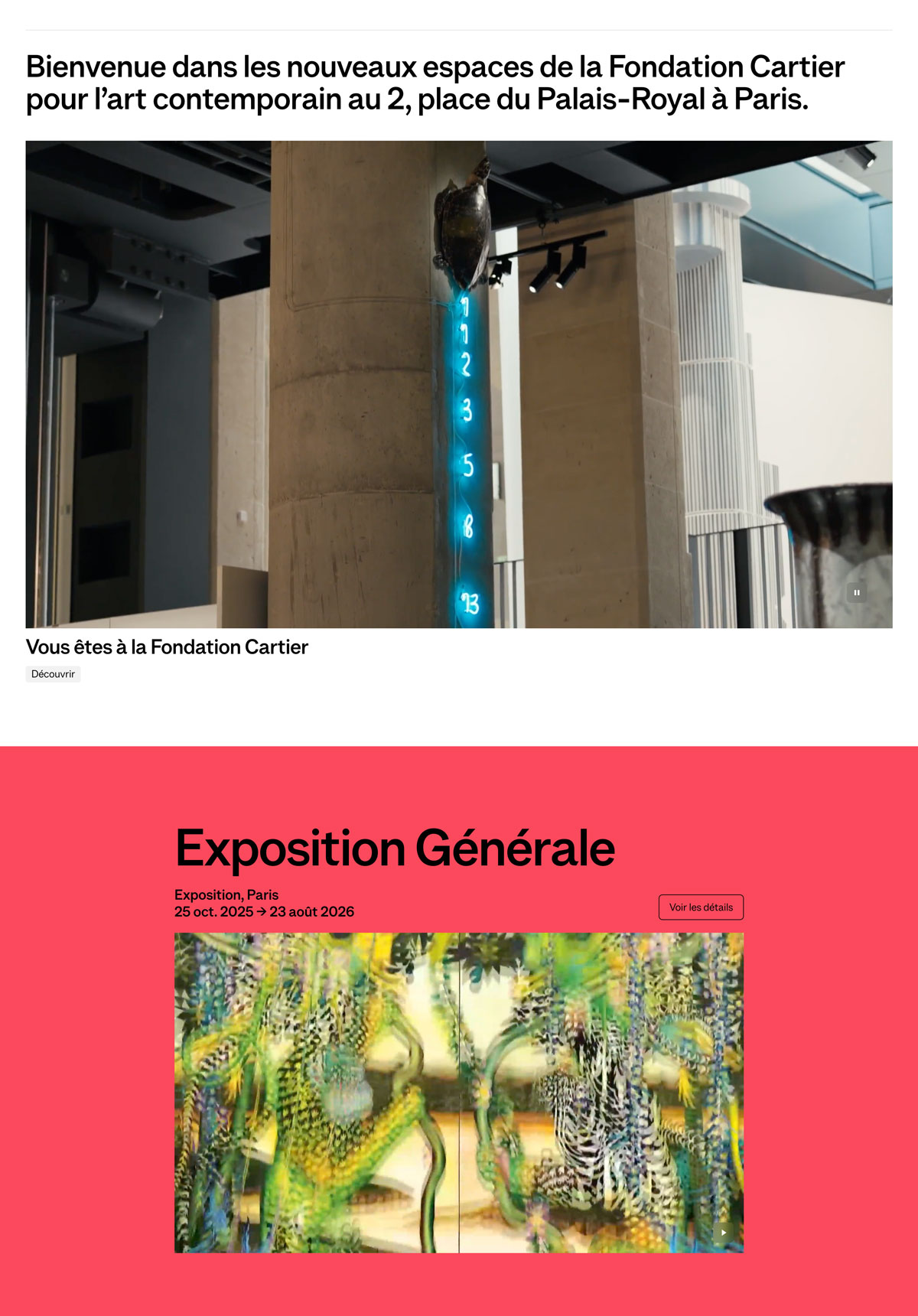
Cultural websites naturally rely on a large number of images. This also makes images one of the most common causes of slow loading when they are uploaded without a clear performance strategy. Visuals should be compressed, served in modern formats where appropriate and delivered at dimensions suited to the user’s screen.
Video, fonts and animation should follow the same principle. An ambitious art direction can still produce a fast website, provided visual effects do not delay access to content or load unnecessary resources.
Responsive design is not simply about stacking desktop blocks vertically. Opening hours need to remain readable, touch targets need to be large enough, ticketing should be easy to reach, event browsing should remain clear and filters need to work comfortably on small screens. Someone checking the website while travelling or on an average mobile connection should be able to access essential information quickly.
Core Web Vitals are useful technical indicators, but they should support a more practical goal: a website that loads quickly, remains visually stable and is easy to use.
SEO for museums and heritage organisations
A museum’s search visibility should not depend on its homepage alone. Exhibitions, events, artists, collection pages and practical visitor information can answer highly specific searches. A well-structured website therefore creates useful, indexable pages instead of concentrating everything into one section.
The fundamentals remain familiar: relevant title tags and meta descriptions, a clear HTML heading hierarchy, readable URLs, internal linking, consistent local information, descriptive image text and pages with enough useful content. The institution’s Google Business Profile complements the website for local discovery and practical visit information.
During a redesign, preserving important URLs and creating a proper 301 redirect plan is a priority. Rebuilding the entire information architecture without a migration plan can result in losing pages that already rank or external links accumulated over many years.
Structured data can also give search engines additional context. The Schema.org Museum type can describe a museum, while Event, BreadcrumbList and Article markup can be appropriate when the corresponding information is genuinely present on the page. Structured data should reflect visible content rather than adding information that users cannot see.
Multilingual museum websites and international visitors
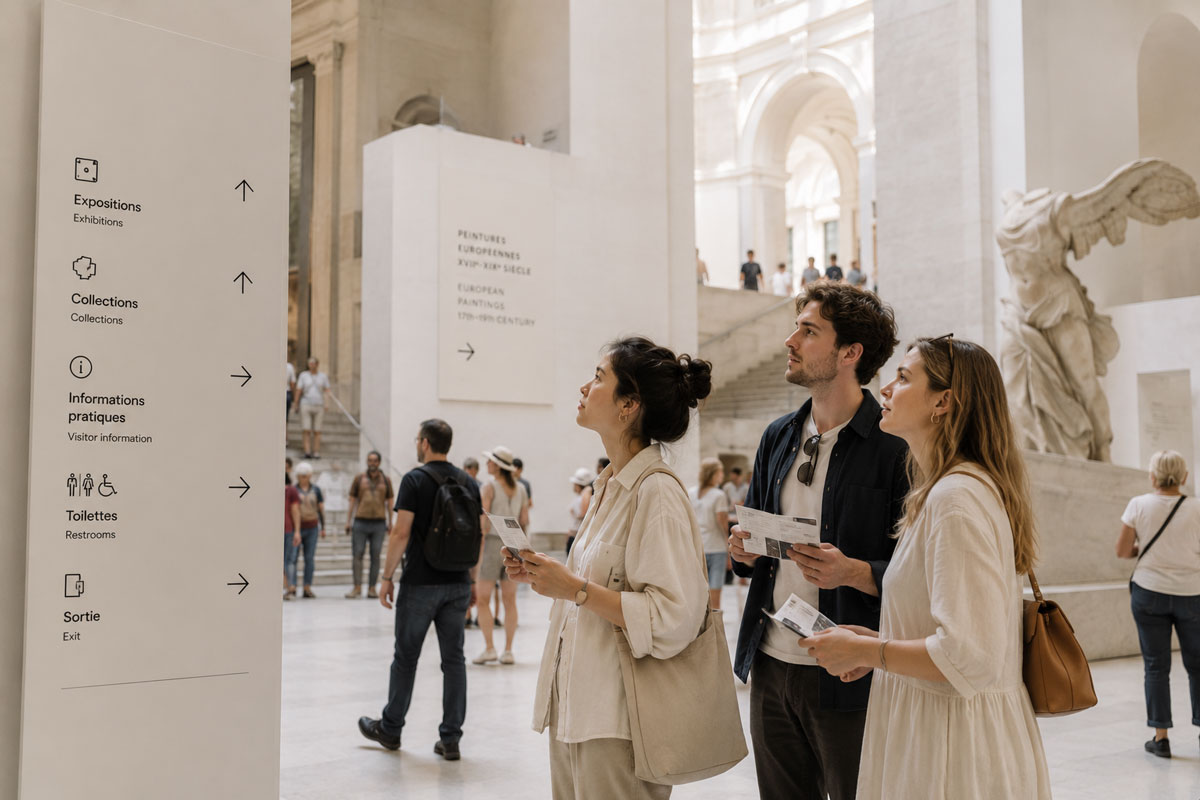
The right number of languages depends on visitor demographics, location and the institution’s objectives. In many cases, two or three versions that are genuinely maintained are more useful than a long list of languages with incomplete or outdated content.
Essential practical information should be available in every priority language: opening hours, prices, directions, booking and accessibility. Important pages should also use localised metadata and maintain a consistent navigation structure from one language to another.
From a technical perspective, the project should define URL structures, hreflang tags and how localised CMS content is managed. Machine translation can speed up a first draft, but institutional content, interpretation texts and sensitive visitor information should not be published without review.
What to define before creating or redesigning the website
Before starting visual design, a short discovery phase helps reduce uncertainty. The brief can be lightweight or detailed depending on the scale of the project, but the following decisions should be made early enough:
- goals for the new website and priority audiences;
- available content and content still to be produced;
- an inventory of the existing website and its analytics;
- languages to support;
- ticketing, newsletter, CRM, shop and other external tools;
- CMS requirements and editorial responsibilities;
- accessibility requirements that apply to the institution;
- budget, timeline and approval process;
- maintenance and post-launch support;
- content migration and the redirect plan.
This is also the right moment to separate essential requirements from optional ideas. It makes it easier to launch a coherent first version and plan future improvements without over-engineering the project from day one.
Is Webflow suitable for a museum website?
Webflow can be a very good choice for a small or medium-sized museum, foundation or heritage organisation when the project requires a custom design, structured CMS content, regular programming updates and an interface that internal teams can manage clearly.
It is particularly well suited to editorial websites, CMS-managed exhibitions and events, curated collection highlights, multilingual projects and websites where visual consistency matters. Custom Webflow development can then be used to build the CMS models, components and front-end structure around the institution’s actual workflow.
Webflow should not, however, be chosen by default. A very large scholarly catalogue, several interconnected institutional databases, an advanced extranet, a proprietary ticketing system or specific procurement requirements may justify a different architecture or specialist external systems.
The more useful question is therefore not simply “Webflow or not?”, but which parts of the project can be managed effectively in Webflow and which parts should remain connected to other tools.
Build a sustainable cultural website, not just a new interface
A successful museum or heritage website depends on three things above all: understanding its audiences, structuring content and services clearly, and creating an editorial system that remains manageable over time. Visual design should strengthen that structure rather than compensate for a weak one.
For this type of project, I can combine discovery, information architecture, UX/UI, CMS structure, responsive design, SEO and custom Webflow website design and development. My experience with editorial websites, multilingual projects and structured CMS builds helps me approach cultural projects with the flexibility they require rather than forcing every institution into the same solution.
You can also explore my Webflow and UX/UI projects to see different approaches to information architecture, content and visual design.
Planning a new website or redesign for a museum, foundation or heritage organisation? I can help define the sitemap, design the UX/UI and develop a clear, high-performing Webflow website that your team can manage independently.
FAQ
What pages should a museum website include?
The exact structure depends on the institution, but a museum website will often include a homepage, Visit section, exhibitions and events, collections, groups and schools, an About section, news, practical information and contact details. Some organisations also need Support Us, press, research or educational resources. The important point is to build the sitemap around audience needs rather than applying a standard menu. A small local museum, a historic property and an organisation managing several sites will have very different priorities and content depth.
Which CMS is best for a museum or heritage website?
The right CMS depends on content volume, the team’s skills, editorial workflows and existing systems. Webflow works well for custom editorial websites with exhibitions, events, news, resources and a structured selection of collection content. WordPress, Drupal, a headless CMS or a custom architecture may be more appropriate for other requirements. If the institution already manages a very large scholarly catalogue, DAM or collections database, it is often better to keep those specialist systems and connect them to the website rather than rebuilding everything inside one CMS.
Is Webflow suitable for a museum website?
Yes, for many small and medium-sized museum and heritage projects. Webflow is particularly useful when an institution needs a custom design, a clear CMS, strong responsive control and frequently updated content such as exhibitions, events and news. It can also support multilingual websites and curated collection content. A very large scholarly database, complex integrations across several institutional systems, an advanced extranet or specific procurement constraints may require additional specialist tools or a different technical architecture.
How should ticketing be integrated into a museum website?
The ticketing system does not necessarily need to be rebuilt inside the website. If the institution already uses a reliable booking platform, the website can provide a clear path to it with visible booking calls to action on relevant pages. Depending on the system, an embedded integration or deeper connection may also be possible. The main points to check are continuity of the user journey, mobile behaviour, language support, pricing information and any account requirements. This lets the main website focus on content and visitor experience while a specialist service handles transactions.
How much does a museum website design or redesign cost?
The budget can vary significantly depending on the scope. Key factors include the number of page templates, the amount of content to migrate, CMS complexity, languages, accessibility requirements, ticketing or CRM integrations, the depth of collection content, visual production and staff training. A redesign that keeps an existing collections database is very different from a project that needs to restructure thousands of records. The most reliable approach is to define the goals, functionality, content and technical constraints before producing an estimate.