Webflow + Shopify Integration: Storesynk (Formerly Shopyflow) Guide
Webflow and Shopify solve different parts of an e-commerce project extremely well. Webflow gives you precise control over the storefront experience, while Shopify remains one of the strongest systems for products, checkout, payments, orders and commerce operations.
In 2026, one of the most practical ways to combine them is Storesynk, the product previously known as Shopyflow.
Shopyflow changed its name to Storesynk on May 21, 2026. The product, team and existing accounts stayed the same. If you still see tutorials, URLs or screenshots using the old Shopyflow name, they refer to the same integration.
How the Webflow + Shopify architecture works
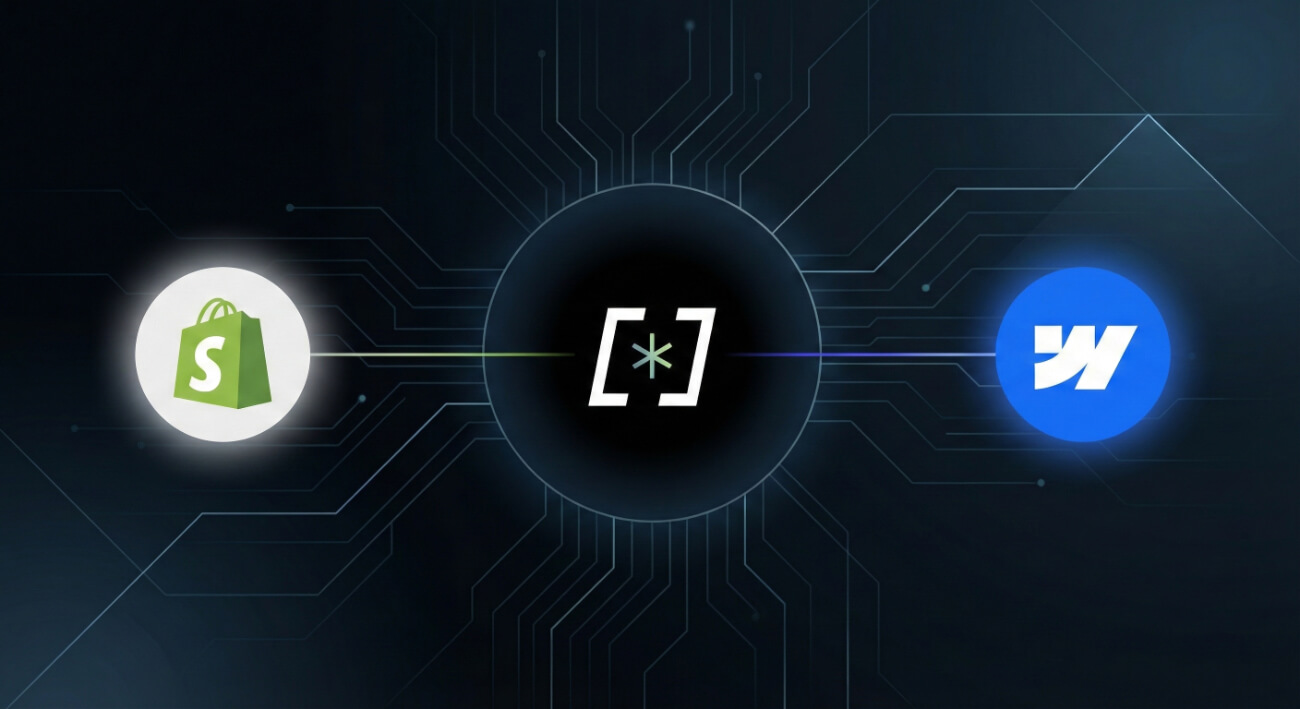
The principle is simple: Shopify remains the commerce engine and Webflow becomes the visual storefront.
Shopify handles:
- products and variants;
- inventory;
- payments and checkout;
- orders;
- discounts;
- tax and commerce logic;
- many third-party Shopify apps.
Webflow handles:
- page design and responsive layouts;
- brand storytelling;
- CMS-driven editorial content;
- landing pages and campaign pages;
- animations and interactions;
- SEO structure and content presentation.
Storesynk connects these two layers so the customer can browse a custom Webflow storefront and complete the payment through Shopify checkout.
Storesynk, formerly Shopyflow: what actually changed?
The rename can be confusing because older articles and project URLs still use the Shopyflow name. Functionally, however, the service continued under the new Storesynk brand.
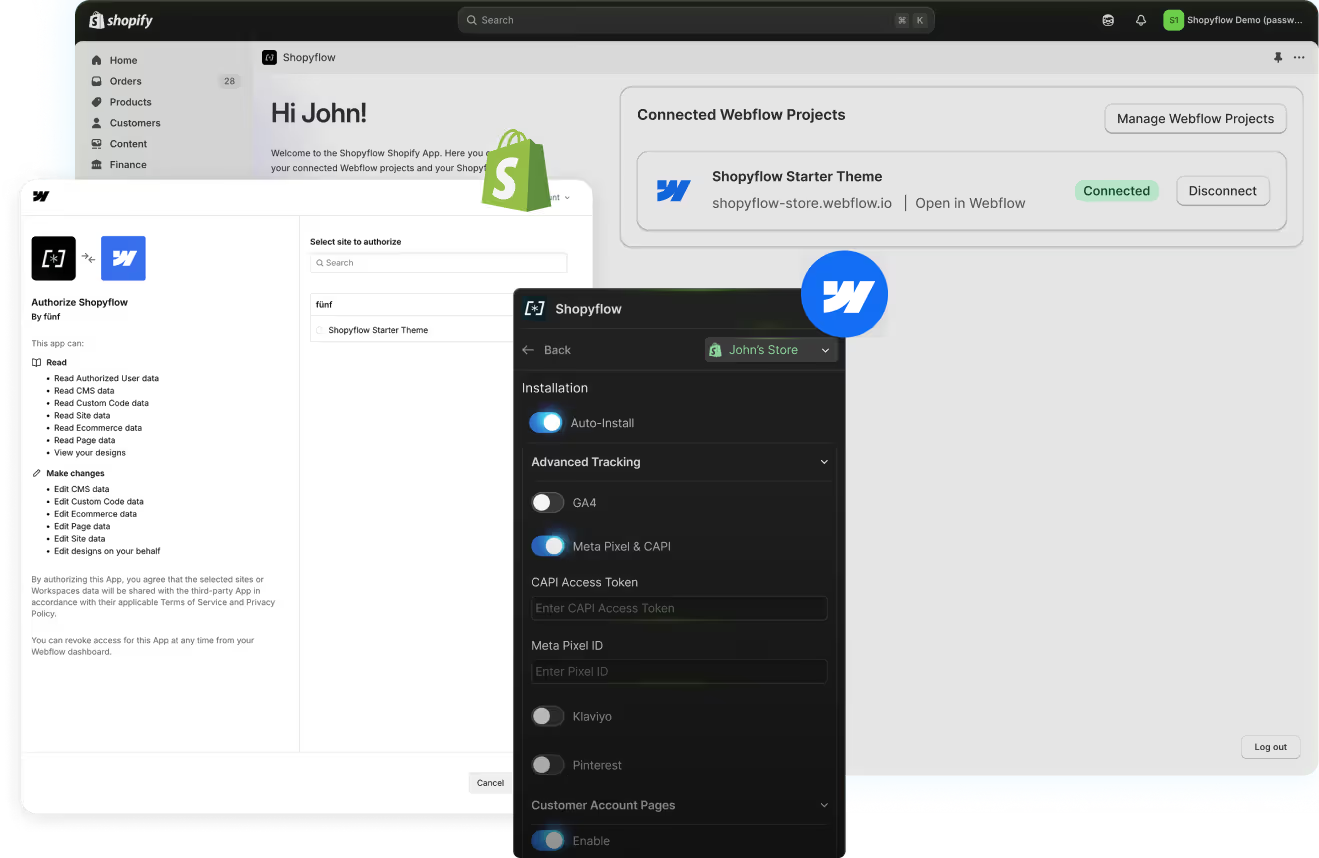
The current Storesynk product is still built around the same idea: bring Shopify commerce into a Webflow site without converting the Webflow project into a Shopify theme.
This distinction matters. You continue designing and publishing the storefront in Webflow. Shopify remains the back-end commerce system rather than becoming the place where the front-end is designed.
What gets connected between Shopify and Webflow?
Depending on the implementation, the storefront can use Shopify product data inside Webflow while keeping transactional logic in Shopify.
A typical setup includes:
- Product data: product information, prices, options and images are made available to the Webflow storefront.
- Custom product pages: the product experience is designed in Webflow rather than being constrained by a standard Shopify theme.
- Cart interactions: the cart can match the visual language of the rest of the Webflow site.
- Shopify checkout: payment is completed through Shopify's secure checkout.
- Orders and inventory: the operational side remains in Shopify.
This gives the design team much more control without rebuilding the commerce infrastructure from scratch.
Why use Webflow as the Shopify storefront?
The strongest reason is not simply that Webflow can look better. It is that the storefront can be treated as a complete brand and content experience rather than only as a product grid.
For design-led brands, this can mean more freedom for editorial layouts, product storytelling, landing pages, campaign sections, comparison blocks, interactive content and a stronger relationship between the store and the wider brand identity.
It also lets the same Webflow design system support non-commerce pages such as the homepage, journal, guides, brand story and campaign pages.
When does this stack make sense?
Webflow + Shopify + Storesynk is particularly interesting when:
- the brand already uses Shopify but wants a more custom storefront;
- visual identity is a major part of the product value;
- content and commerce need to live in the same experience;
- the team wants Shopify checkout and commerce operations without accepting the design limitations of a standard theme;
- the project needs custom campaign or storytelling pages around the catalog.
It is not automatically the right architecture for every store. If a standard Shopify theme already meets the design and content requirements, adding another platform may create unnecessary complexity.
Important limitation: very large catalogs
This is one of the most important points to evaluate before choosing the stack.
Storesynk itself warns that stores with thousands of products may run into Webflow CMS limits, especially when variants create a large number of CMS records. For a small or medium catalog this can be manageable, but a large catalog should be modeled before development begins.
The right architecture depends on product count, number of variants, filtering needs, localization and how much product data must exist inside Webflow.
SEO and performance: what this setup does and does not guarantee
Using Webflow as the storefront gives strong control over page structure, metadata, headings, internal links, responsive behavior and editorial content. That is useful for SEO, but the architecture does not automatically rank better simply because the front-end is Webflow.
Good results still depend on technical implementation, useful content, product architecture, crawlability, performance and how duplicate or variant URLs are handled.
I treat SEO as part of the build itself: clear page hierarchy, clean metadata, optimized media, structured internal linking and a consistent relationship between product pages and editorial content.
Case study: Walrus Wellness
A concrete use case is Walrus Wellness, where the product needed a highly controlled visual experience while Shopify remained the logical commerce foundation.
The project combines a custom Webflow front-end with Shopify commerce so product storytelling, responsive design and brand identity can be handled with more freedom without giving up Shopify's operational strengths.

Storesynk vs Smootify
Smootify is another established option for combining Shopify and Webflow.
The best choice depends on the project rather than a universal winner. Storesynk is attractive when you want a direct Shopify-to-Webflow workflow with a clear pricing model and a storefront built entirely in Webflow. Smootify can be relevant when its particular feature set and components align more closely with the store requirements.
Before choosing, I compare catalog size, customer-account needs, subscriptions, filtering, localization, Shopify apps and the desired cart experience.
How much does Webflow + Shopify + Storesynk cost in 2026?
The software cost is the combination of three products. Current annual-billing reference prices are:
- Shopify Basic: $29/month when billed yearly;
- Webflow Basic: $15/month when billed yearly, for a site that does not need the full CMS;
- Webflow Premium: $25/month when billed yearly, when a richer CMS setup is required;
- Storesynk Launch: $49/month when billed yearly, or $59/month on monthly billing.
That means a typical annual-billing software baseline starts around $93/month with Webflow Basic, or around $103/month with Webflow Premium.
These figures do not include payment processing, premium Shopify apps, localization add-ons or development work. Prices also change over time, so the final setup should always be checked against the current official pricing pages.
For a complete overview of current Webflow plans, see my Webflow pricing guide for 2026.
Why implementation quality still matters
This is not a plug-and-play decision where the tools automatically produce a good store.
The project still needs:
- a coherent product and CMS architecture;
- responsive product pages;
- reliable variant and cart behavior;
- clear redirects and SEO rules;
- performance testing;
- checkout and analytics QA;
- a maintainable Webflow class and component structure.
For that reason, I usually define the commerce architecture before the visual build becomes too advanced. It is much easier to adapt the design early than to discover later that catalog logic or variants do not fit the chosen CMS model.
Conclusion
Storesynk makes the Webflow + Shopify combination much more practical for brands that want both design freedom and a mature commerce engine.
The strongest use case is not simply “Shopify with prettier pages.” It is a store where editorial content, product storytelling and brand experience need more flexibility than a standard theme provides, while Shopify remains responsible for the parts it does best.
If you are planning a Shopify storefront in Webflow, I can help assess the catalog structure, choose the right integration and build the complete front-end. Tell me about the project.
FAQ
How does the Webflow + Shopify integration with Storesynk work?
Storesynk, formerly Shopyflow, connects Shopify to Webflow so Shopify remains the commerce engine while Webflow controls the storefront design. Products and commerce data are connected to the Webflow experience, while Shopify continues to handle checkout, payments, orders and the wider commerce infrastructure.
Is Shopyflow now called Storesynk?
Yes. Shopyflow was renamed Storesynk on May 21, 2026. The product, team, accounts and existing integrations remained the same; the main change was the product name and domain.
When is Webflow + Shopify with Storesynk a good choice?
It is a strong fit for brands that want more visual freedom than a standard Shopify theme while keeping Shopify for checkout, payments, inventory and apps. It works especially well for design-led D2C brands, content-heavy stores and products that need a highly customized marketing experience. Very large catalogs should be assessed carefully because Webflow CMS limits can become a constraint.
Is native Webflow e-commerce a viable alternative to Shopify?
Webflow e-commerce can work well for small to medium-sized online stores with a limited catalogue. Its strengths are seamless integration with Webflow's design and simple management. Its limitations include fewer native features than Shopify (advanced inventory management, multi-currency, rich app ecosystem), and it's less suited to high order volumes or very large catalogues.
How much does a Webflow + Shopify + Storesynk setup cost in 2026?
For annual billing, a typical software baseline starts around $93 per month with Shopify Basic at $29, Webflow Basic at $15 and Storesynk Launch at $49. A CMS-heavy Webflow setup using Premium instead of Basic starts around $103 per month. Development cost is separate and depends on design, catalog structure, integrations and custom functionality.