Create a Webflow site with Memberstack: member area & subscriptions
Building a website with member accounts, subscriptions and gated content used to mean creating a custom authentication and payment system. For many projects, that is no longer necessary.
The combination of Webflow + Memberstack makes it possible to build membership platforms, client portals, paid communities and lightweight SaaS experiences while keeping full control over the front-end design.
This setup is particularly relevant in 2026 because Webflow discontinued its native User Accounts feature on January 29, 2026 and recommends specialized ecosystem partners, including Memberstack, for membership functionality.
What does Webflow handle?
Webflow provides the visual and content layer: page structure, responsive design, animations, landing pages and CMS-driven content.
For a membership project, this means the public website and the logged-in experience can share the same design system instead of feeling like two separate products. Pages can be designed around the brand rather than around a predefined membership template.
In my Webflow development work, I use this flexibility to build the interface, CMS architecture and responsive behavior around the actual user journey before connecting authentication and billing.
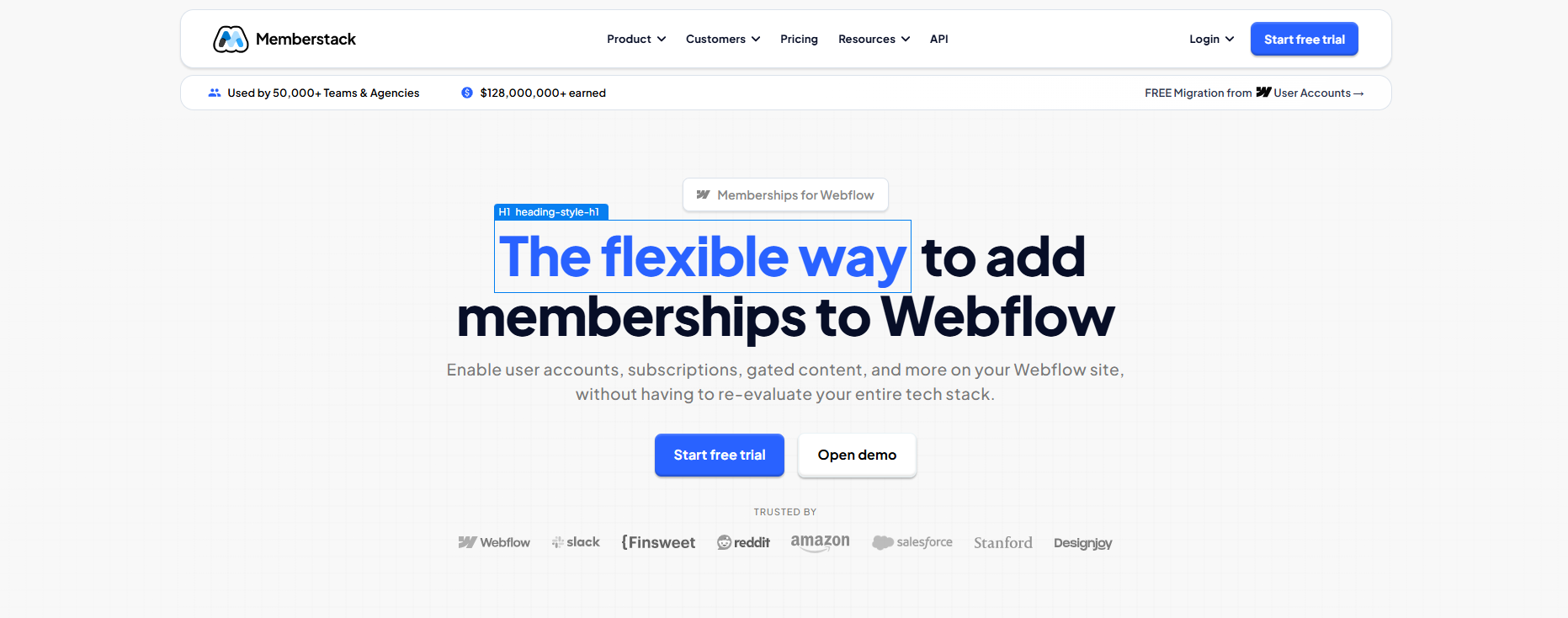
What does Memberstack add?
Memberstack adds the account and access layer that Webflow does not provide natively: authentication, member data, paid plans, Stripe payments and gated content.
Depending on the project, it can support:
- member registration and login
- free and paid membership plans
- recurring payments through Stripe
- protected pages and gated sections
- conditional content based on member status or plan
- social login and custom SSO
- branded member emails and account flows
The connection is handled through Memberstack attributes, scripts and configuration rather than by rebuilding the website around a separate application.
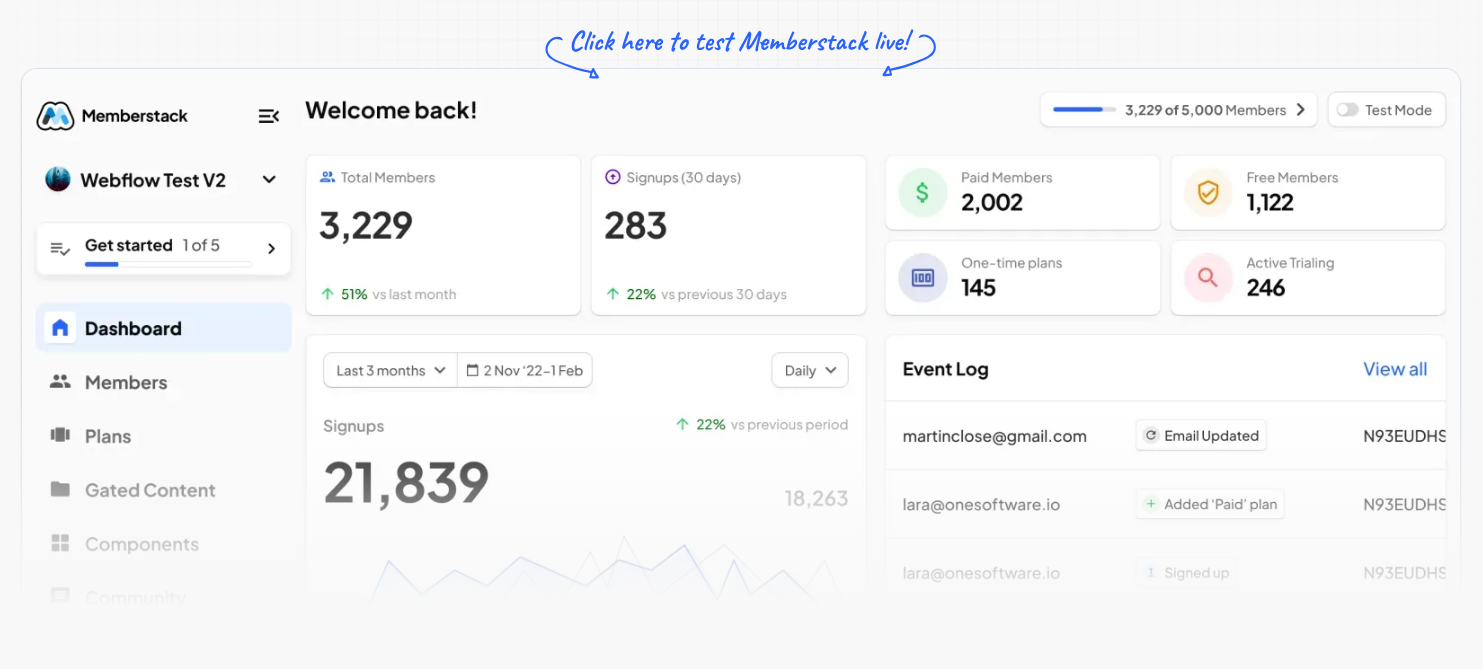
What can you build with Webflow and Memberstack?
The stack works best when the project needs more than a brochure website but does not require a fully custom application back end.
Typical use cases include:
- Membership platforms with free and paid content
- Online learning experiences with protected courses or resources
- Client portals for agencies, consultants or service businesses
- Private communities and member directories
- Premium editorial platforms with subscriber-only articles, audio or video
- Lightweight SaaS products with account-based dashboards and paid access
Memberstack can also be connected to tools such as Make, Zapier or external APIs when the member journey needs to trigger CRM updates, emails, onboarding workflows or other automations.
Case study: CIAOMONDO
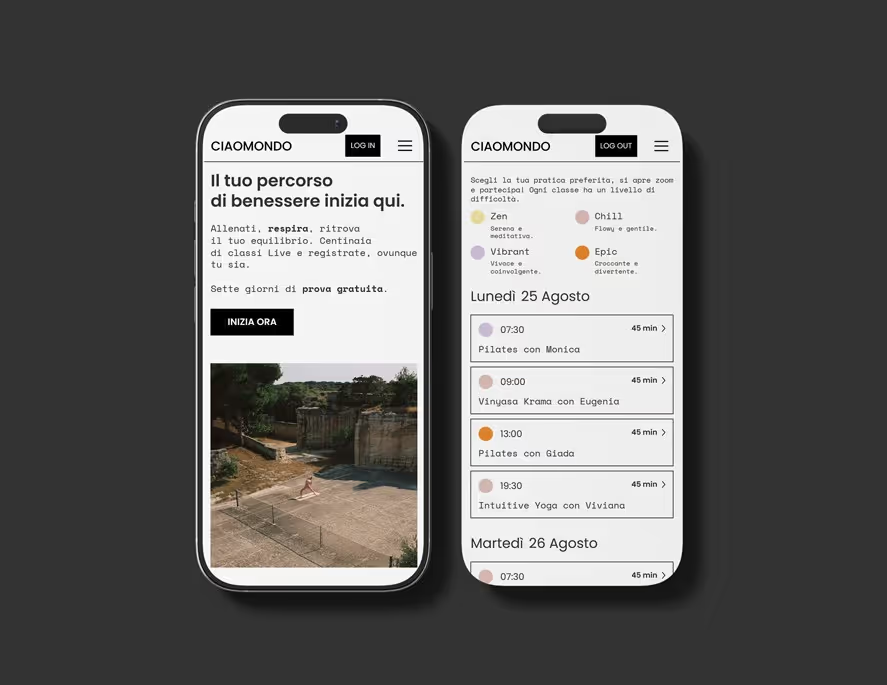
A concrete example is CIAOMONDO, a wellness platform built around live classes, recorded content and meditations.
The objective was to replace an unstable setup with a reliable MVP that could launch quickly without locking the team into a rigid system. Webflow handles the interface and CMS, while Memberstack 2.0 manages registration, member access and subscription logic.
The platform includes dedicated sign-up flows, protected content, plan-based visibility, Stripe billing and a CMS that allows the team to publish new material independently.
Why the implementation still matters
Webflow and Memberstack reduce the amount of custom engineering required, but they do not remove architectural decisions.
A reliable membership experience still needs clear account flows, consistent redirects, secure payment configuration, correctly gated content and careful testing across logged-in and logged-out states. The CMS and membership logic also need to be designed together so the client can manage content without accidentally breaking access rules.
This is where the quality of the implementation matters more than the fact that the tools are no-code or low-code. The goal is not simply to make login work. It is to create an experience that feels coherent from the first landing page through checkout, onboarding and daily member use.
Webflow User Accounts vs Memberstack in 2026
Webflow's native User Accounts feature, originally called Memberships, was discontinued on January 29, 2026. New projects therefore need a third-party membership solution.
Memberstack is one of the partners Webflow recommends for this use case. The advantage is specialization: authentication, payments and membership logic are handled by a tool built specifically for those workflows, while Webflow remains focused on the website experience and CMS.
For teams migrating from the old native Webflow system, the change also makes it important to review existing account pages, access rules and member data rather than treating the migration as a simple plugin swap.
How much does Memberstack cost?
Memberstack is free to configure in test mode until a project launches. Current paid plans start with the Basic plan at $29/month, or $25/month when billed yearly, for up to 1,000 members. Higher plans increase member limits and reduce Memberstack transaction fees.
The right plan therefore depends on both the expected number of members and the revenue model. Stripe processing fees remain separate from Memberstack's own plan and transaction fees.
For a project budget, the subscription cost is only one part of the equation. The main implementation effort usually sits in UX, account flows, CMS architecture, payment setup, testing and any custom integrations required around the membership experience.
When does Webflow + Memberstack make sense?
This stack is a strong fit when design quality, marketing pages and editorial control matter as much as the member functionality itself.
It is less appropriate when the product requires highly complex application logic, large-scale real-time data processing or a back end that extends far beyond authentication and access management. In those cases, a more traditional application architecture may be the better foundation.
For many membership businesses, however, Webflow + Memberstack offers a useful middle ground: a custom front end, a manageable CMS and a dedicated membership layer without the cost of building every system from scratch.
Conclusion
Webflow and Memberstack solve different parts of the same problem. Webflow provides design, content and responsive control. Memberstack provides authentication, subscriptions and gated access.
Combined thoughtfully, they can support a membership platform that is both visually distinctive and practical to operate.
If you are planning a member area, paid content platform or client portal, I can help define the architecture before development and build the complete Webflow + Memberstack experience. Tell me about your project.
FAQ
What is Memberstack and how does it work with Webflow?
Memberstack is a membership and authentication platform that integrates with Webflow. Webflow handles the front-end design and CMS, while Memberstack manages sign-up, login, member data, access rules and paid plans. The integration uses Memberstack attributes and scripts inside the Webflow project.
What types of websites can use Webflow and Memberstack?
The combination works well for membership platforms, online learning products, client portals, private communities, premium editorial content, member directories and lightweight SaaS experiences. It is most useful when custom design and marketing pages matter alongside authentication and gated content.
Can Memberstack handle recurring subscriptions and Stripe payments?
Yes. Memberstack integrates with Stripe for paid memberships and recurring subscriptions. Plans can be connected to access rules so content or features are shown only to eligible members. The exact billing setup should still be tested carefully across sign-up, payment, cancellation and account-management flows.
What happened to Webflow Memberships and User Accounts?
Webflow discontinued its native User Accounts feature, originally called Memberships, on January 29, 2026. New membership projects therefore need a third-party solution. Webflow recommends ecosystem partners including Memberstack and Outseta for authentication and membership use cases.
How much does Memberstack cost in 2026?
Memberstack is free to configure in test mode until launch. Its Basic plan currently starts at $29 per month, or $25 per month when billed yearly, for up to 1,000 members. Higher plans increase member limits and reduce Memberstack transaction fees. Stripe processing fees are separate.