Webflow Hosting in Europe: Options and Alternatives

Choosing where to host your website affects its maintenance, performance, cost and the way data is processed. This decision deserves attention from the outset of the project, alongside design, content and functionality.
For a French or European business, several questions arise: should you choose hosting in the European Union? Could a US platform be suitable? Can you build a website with Webflow and host it elsewhere? And when might Astro or Next.js be a better fit?
I design and develop custom websites with Webflow, Astro and Next.js. This means I can support your project with either an integrated platform or a code-based architecture and a hosting provider selected to suit your needs, including within the European Union. The right solution depends on how independently you need to manage your website, your content, the functionality you require, your budget and your data requirements.
Can you host a Webflow website in Europe?
The answer depends on the offering and the scope of the services involved. The general privacy FAQs still state that data is stored in the United States. The technical documentation now also describes a separate European environment, with accounts distinct from those in the US environment. Sources: Webflow privacy FAQs and environment documentation.
For a project that requires data to reside exclusively in the EU, you need to confirm commercial availability, contractual terms and the services covered. The presence of an EU environment in the technical documentation does not mean that it covers all existing accounts or all data.
This review should cover the CMS, forms, backups, technical logs and any application services used.

Understanding the difference between a platform and hosting
Hosting refers to the resources that make a website accessible: files, servers, storage and, depending on the project, databases or application processing. The domain name is its address. The CMS lets you manage its content.
With Webflow, visual design, the CMS and publishing are brought together in a single environment. Astro and Next.js are development tools: you combine them with a hosting provider and the services your project needs. Comparing them therefore means considering the solution as a whole.
Webflow: A website creation and management platform with integrated hosting. Much of the technical operation is managed for you.
Astro: A framework suited to content-focused websites. Hosting and the CMS can be selected separately.
Next.js: A React framework for websites and applications. Its architecture can incorporate more extensive application logic.
Webflow documents its managed hosting, while Astro and Next.js offer several deployment options. These approaches can also be combined, notably through Webflow Cloud. Sources: Webflow, Astro and Next.js.
A business website presenting services and a few projects raises different questions from a client portal with login access, private documents and payments. The technology should meet that actual need.
The differences between European and US hosting
Distinguishing the provider from the location of the data
A company's nationality alone does not tell you where its services are hosted. You need to distinguish between its legal identity, the region where its servers are located, its backup locations and the access granted to its teams or subprocessors. The CNIL specifically recommends mapping these different elements. Source: CNIL.
A project might, for example, combine a website hosted in France, a database in Germany and an inquiry management tool located in the United States. Moving only the website's pages does not automatically change the rest of this architecture.
If European hosting is a requirement, you therefore need to define its scope: does it cover the public pages, form submissions, customer accounts or all the services used? A clear requirement allows you to compare offerings using verifiable criteria.
A CDN improves website delivery
A CDN is a network of servers that stores and delivers copies of certain content as close to visitors as possible. It can reduce latency and limit requests to the origin server. Content that is not cached still needs to be retrieved from that server. Source: Google Search Central.
A website operated by a US company can therefore load quickly in France. Conversely, a geographically close server cannot compensate for very large images or a poorly optimized application.
Page loading speed and data location answer two different questions. Receiving an image from a European server does not, on its own, tell you where inquiries submitted through the form are stored.

The advantages and limitations of both approaches
Infrastructure selected within the European Union can make it easier to meet a location requirement, stay close to users and align with an organization's procurement policy. Its value nevertheless depends on the service you choose: a server you have to administer and a fully managed platform do not provide the same level of support.
A US platform may be attractive for its design environment, integrations or deployment tools. In that case, you need to examine its data processing terms, any potential transfers and your reliance on services specific to the platform.
The level of service should therefore be assessed separately from geography: backups, support, updates, recovery capabilities, monitoring and responsibility in the event of an incident.
Another distinction: European does not necessarily mean located in the European Union. Switzerland benefits from an adequacy decision by the European Commission, but Swiss hosting does not meet a requirement that specifically calls for data to be stored in the EU. Source: European Commission.
Understanding the relationship between hosting and the GDPR
The GDPR regulates international transfers of personal data. At the time of this article, the Data Privacy Framework allows transfers to participating US organizations covered by the European adequacy decision. This recognition does not extend to all US companies. Source: European Commission.
You need to verify the recipient entity, its active certification and the data covered. The other obligations under the GDPR continue to apply, including a data processing agreement when the provider acts as a processor. Source: European Data Protection Board.
When a transfer is not covered by an applicable adequacy decision, other mechanisms may be considered, including standard contractual clauses, with the necessary assessments and safeguards. Source: EDPB.
For a business website, the focus is therefore on the data actually collected, how it is used, how long it is retained and which providers can access it. Choosing a server in the EU does not automatically resolve these questions. Even a website made up of static pages can use forms, analytics tools or external services.
Compliance and sovereignty must also be distinguished. A business may impose contractual requirements that are stricter than the general rules on transfers. The project specification should set these out before the platform is chosen.
The advantages and limitations of Webflow
What its hosting provides
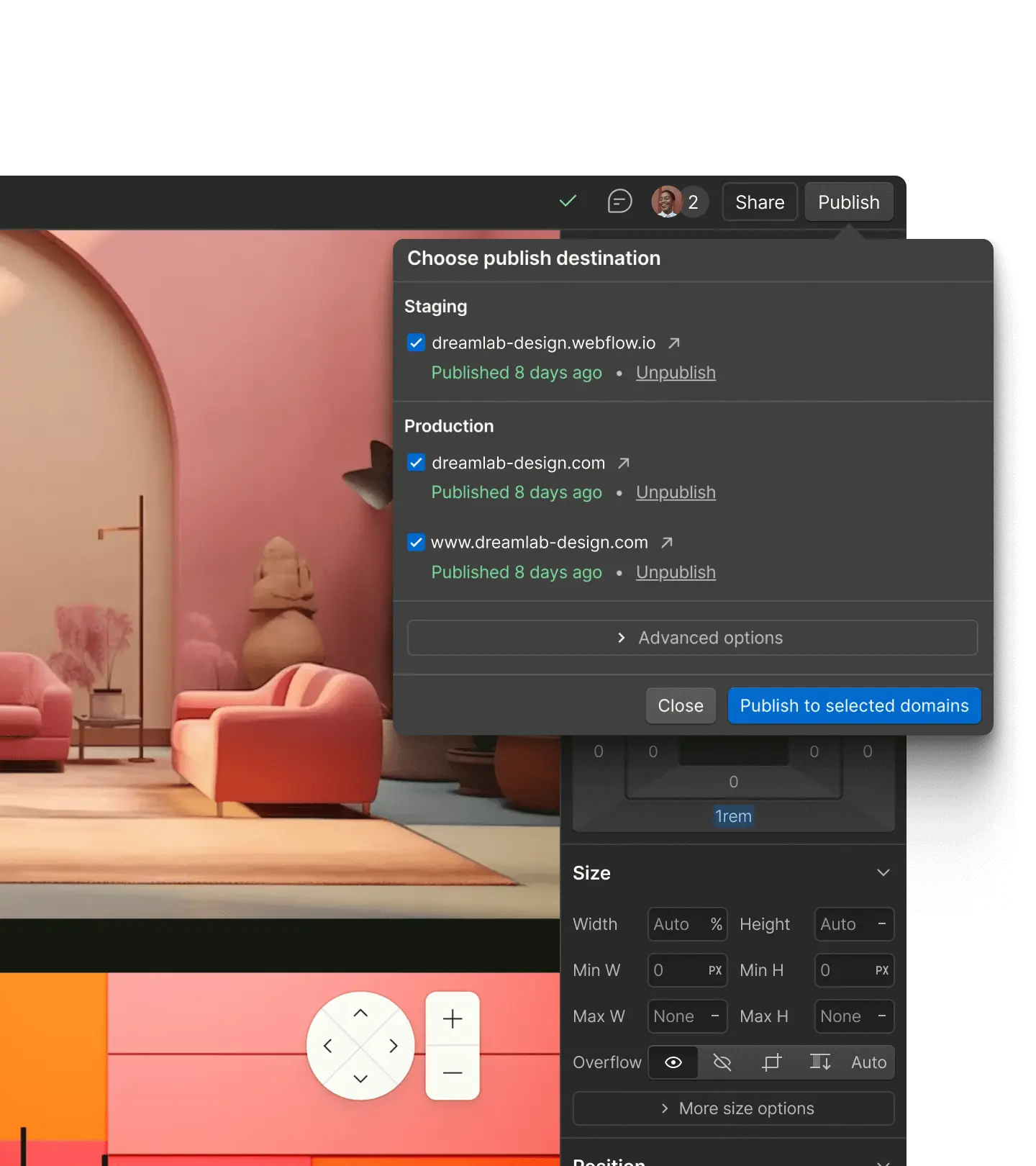
Webflow manages the publishing infrastructure and delivers websites through Cloudflare. Its offering includes SSL certificate management. The platform also provides backups and restore features. Sources: Webflow hosting and hosting features.
For a business, this integration has a practical advantage: the website and its content can evolve without having to set up a separate hosting workflow. This is particularly useful when the team wants to publish news, projects or marketing pages regularly.
The value also becomes apparent over time. The budget covers a working environment, a management interface and part of the technical operations. Content, integrations, added scripts and website performance still need to be monitored.
Constraints to consider
The integrated approach means working within the platform's functional and commercial framework. Requirements need to be checked against the chosen offering: content to manage, languages, features and expected volumes. Changes that fall outside this framework may require an integration or additional development.
Bandwidth also needs to be monitored. Webflow measures it based on the data delivered by its infrastructure: pages, images, videos, fonts and other files. It therefore does not simply correspond to visitor numbers. An image-heavy website can consume substantial bandwidth even with a relatively modest audience. Source: Webflow.
Image formats, the use of video and how resources load are therefore part of the design process. They influence the user experience as much as the hosting capacity required.
Exporting the code to use a different hosting provider
A paid Workspace plan allows you to export the website's HTML, CSS, JavaScript and assets to host them elsewhere. A Site plan alone does not provide access to this export.
However, the standard export does not include a working CMS, form processing, internal search, ecommerce or secondary language versions. Collection data can be exported separately, but it does not automatically recreate the content management system. Source: Webflow export documentation.
This option can suit a largely static website. For a website that a team updates regularly, you need to plan how content, new publications and missing features will be managed. Subscription savings should be weighed against the work required to rebuild and maintain these elements.
Webflow Custom Hosting for Enterprise requirements
Webflow Custom Hosting, or WCH, offers Enterprise customers another approach: continue building in Webflow while publishing to external infrastructure. The documentation includes support for regional deployments, CMS management and localization.
Form processing may, however, continue to send data to Webflow's servers. Hosting the pages elsewhere therefore does not move all data processing to the new infrastructure. Source: Webflow Custom Hosting.
This solution addresses specific organizational and infrastructure requirements. Its value needs to be assessed alongside the Enterprise budget and the integration work involved.
Webflow Cloud for application features
Webflow Cloud lets you deploy applications built with Next.js or Astro, alongside a Webflow website or independently. It also offers storage services. Webflow and these frameworks can therefore be part of the same project. Source: Webflow Cloud.
This opens up more use cases, but requires development work. The frameworks run in a Workers environment that may require adaptations and impose compatibility limitations. The required features, costs and scope of data processing all need to be checked. Source: Webflow Cloud compatibility.
Astro for a lightweight website with your choice of hosting
By default, Astro generates pages when the website is built. The hosting provider can then deliver these ready-made files. The framework also supports on-demand rendering for individual pages on a server, using an adapter suited to the chosen environment. Source: Astro documentation.
This approach is worth considering for a business website, portfolio, blog, documentation website or editorial website. The project can be hosted on compatible infrastructure chosen for its location and level of service.
The advantages of Astro
Its architecture allows interactivity to be added to the components that need it, while keeping the rest of the page in HTML. This targeted use of JavaScript provides a sound basis for building lightweight pages. Source: Astro architecture.
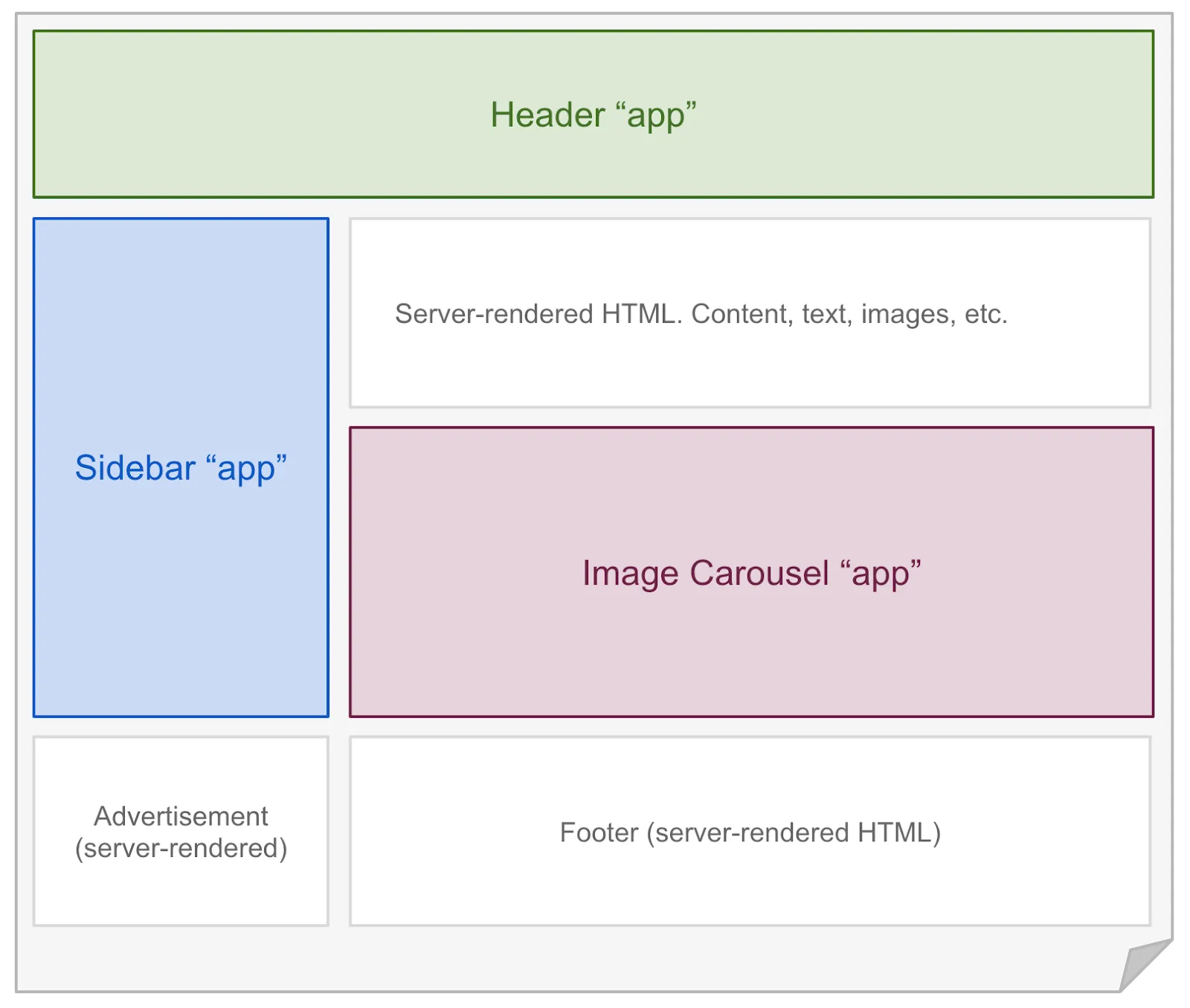
Astro also offers precise control over the code delivered, the page structure and the connected services. For a project with specific hosting requirements, this separation between the website and its infrastructure provides more choice.
A static website can absolutely be managed through a CMS. Astro can retrieve content from an external editorial tool without requiring the client to edit code. This interface needs to be chosen and configured around the team's needs. Source: Astro and CMS integrations.
Limitations to consider with Astro
On its own, the framework does not provide a management experience equivalent to an integrated platform. Previews, user permissions, forms and the publishing workflow all need to be planned as part of the project.
For prerendered pages, a content change requires a new build, which can be automated. If the website becomes more dynamic, its hosting and services need to evolve accordingly.
Astro is therefore a good candidate when control over the code and hosting justifies setting up a custom architecture. Its performance still depends on the implementation: images, videos and third-party scripts can make a website heavier, regardless of the framework.
Next.js for websites with advanced application requirements
Next.js lets you build React websites and applications with server-side processing. It is particularly worth considering when a project includes client portals, custom interfaces or extensive interaction with data.
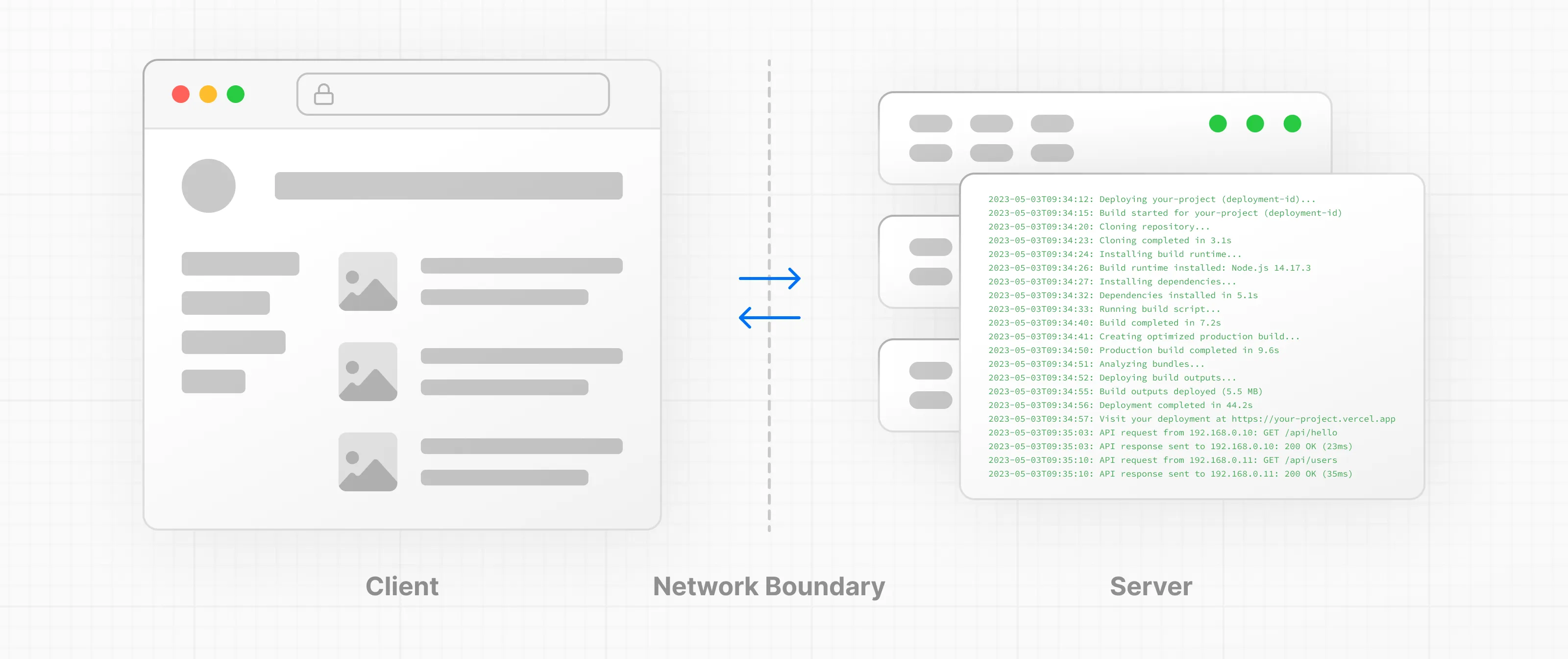
Next.js can be hosted outside Vercel
Next.js is often associated with Vercel, but its documentation also covers deployment on a Node.js server or in a Docker container. These options support the framework’s features and let you choose a compatible hosting provider, including one in the European Union. Source: Next.js deployment.
This freedom allows you to host the application closer to its database, integrate it into existing infrastructure and adapt the services to the project’s requirements.
It does not eliminate operational work. With self-hosting, access security, updates and cache configuration still need to be managed. When running multiple instances of the application, cache coordination requires particular attention. Source: Next.js self-hosting.
The limitations of static mode
Next.js can also generate a static website. However, this mode does not retain features that require server-side processing for each request, such as certain API routes or Server Actions. It does not support incremental static regeneration or image optimization through the default built-in mechanism. An alternative image optimization strategy is still possible.
A form or user login can still rely on an external service. That service simply needs to be included in the architecture, because static files do not replace the application server. Source: Next.js static exports.
A European region on Vercel does not necessarily cover all processing
Vercel lets you choose the region where functions run, while static content is delivered through its CDN. Its compliance documentation also allows for possible transfers to the United States and other countries. The region selected for functions must therefore be distinguished from the location of all the data. Sources: Vercel regions and Vercel compliance.
For a business application, the flexibility of Next.js can justify this architectural work. For a website showcasing a few services and completed projects, it may add complexity without a clear benefit.
Comparing solutions against the project’s needs
The following comparison provides a framework for choosing a solution. It outlines suitable project approaches, not absolute technical boundaries.
Day-to-day content management: Webflow: an integrated environment. Astro: a CMS to select and configure. Next.js: a CMS or interface to integrate.
Choice of infrastructure: Webflow: depends on the plan, export or WCH. Astro: a wide choice depending on the rendering mode. Next.js: a wide choice depending on server requirements.
Business or editorial website: Webflow: suitable for a team that wants to manage its pages. Astro: suitable for a content-focused architecture. Next.js: possible, with complexity that needs to be justified.
Custom business functionality: Webflow: integrations and potentially Cloud. Astro: possible with suitable services. Next.js: a relevant candidate for a React application.
Technical work after delivery: Webflow: standard infrastructure managed by Webflow. Astro: depends on the chosen CMS and hosting. Next.js: ongoing maintenance of the application and its infrastructure.
Portability: Webflow: to be assessed according to the features used. Astro: good if the associated services remain replaceable. Next.js: good if dependencies on the provider remain under control.
Portability should be planned from the start. Access to the code makes a handover easier, but it also requires access to the content, accounts, documentation and a clear publishing process. A highly customized project can become difficult to hand over if only one person understands how it works.
The real cost goes beyond the hosting bill
Comparing only a server’s monthly price with a platform subscription means comparing services with different scopes.
To estimate a realistic budget, you need to add up the initial development, hosting, CMS, external services, maintenance and expected future changes. The financial picture includes management time as well as subscriptions.
Webflow can be a good fit when it reduces the work needed to publish and maintain a professional website. Astro can offer a good balance for a content-focused website with a streamlined architecture. Next.js can justify a higher investment when its application features deliver real value.
These conclusions depend on the project. A small infrastructure bill may come with several hours of technical work, while an integrated platform may have a higher subscription cost and require less day-to-day operational work.
The role of hosting in SEO
The country where a server is located does not guarantee better rankings. Google states that its location can help identify the intended audience, while noting that this signal is not conclusive, particularly when websites use a CDN. Language, URLs and international targeting signals also matter. Source: Google Search Central.
The practical priority is to make pages accessible, fast and easy to use. Core Web Vitals measure loading performance, responsiveness and visual stability. Source: Google.
Good hosting supports this work. The quality of the design, content and implementation remains essential, whether you use Webflow, Astro or Next.js.

One point of contact for both approaches
For a business or marketing website, I can design and develop a custom Webflow website, with a content structure built around your team and a workflow suited to the level of independence you need.
For an editorial website or portfolio requiring greater freedom over code and hosting, I can develop a solution with Astro and set up a CMS that suits the way you publish.
For a client portal or an application with more specific features, I can build a solution with Next.js, defining the integrations, hosting and maintenance requirements from the outset.
If your project requires hosting in the European Union, I can design and deploy a suitable architecture. Together, we clarify the scope, then select the hosting and associated services: CMS, forms, database and external tools.
With either approach, you work with the same person, from UX/UI design through development and launch. I help you choose a solution based on your needs, with attention to the quality of the website, its day-to-day use and its future development.
Planning a new website or a redesign? I help you choose the right solution, then design and develop your website with Webflow, Astro or Next.js. Let’s talk about your project.
FAQ
Can you host a Webflow website in Europe?
Yes, depending on the plan and architecture you choose. Webflow documents a separate European environment, but its availability and the services it covers need to be confirmed for each project. Code export and Webflow Custom Hosting for Enterprise customers also provide options for external hosting. The location of the website’s pages, CMS, form data and backups must be checked separately.
Can you export a Webflow website to another hosting provider?
Yes. A paid Workspace plan lets you export your website’s HTML, CSS, JavaScript and assets. A Site plan alone does not provide this option. However, a standard export does not retain CMS functionality, form processing, site search, ecommerce or secondary language versions. These features need to be replaced or developed separately.
Does hosting in the European Union guarantee GDPR compliance?
No. Server location is only one factor. You also need to consider the data collected, how it is used, retention periods, security, data processors and any transfers outside the European Union. A website hosted in Europe may use forms, analytics tools or other services that process data elsewhere.
Can Astro and Next.js websites be hosted in Europe?
Yes, on compatible infrastructure. Astro can generate static files or use an adapter for on-demand rendering. Next.js can run on a Node.js server or in a Docker container, without requiring Vercel. If your project requires data to remain in the EU, the choice of a European region must also cover supporting services such as the CMS, forms and database.
Can you build my website with Webflow, Astro or Next.js?
Yes. I design and develop custom websites with Webflow as well as Astro and Next.js. I help you choose between an integrated platform and a custom code architecture based on your content, how independently you want to manage the website, the features you need, your budget and your hosting requirements. I can handle the project from UX/UI design through to launch, with hosting in the European Union when the project requires it.