What is a CMS? Definition, how it works and how to choose one
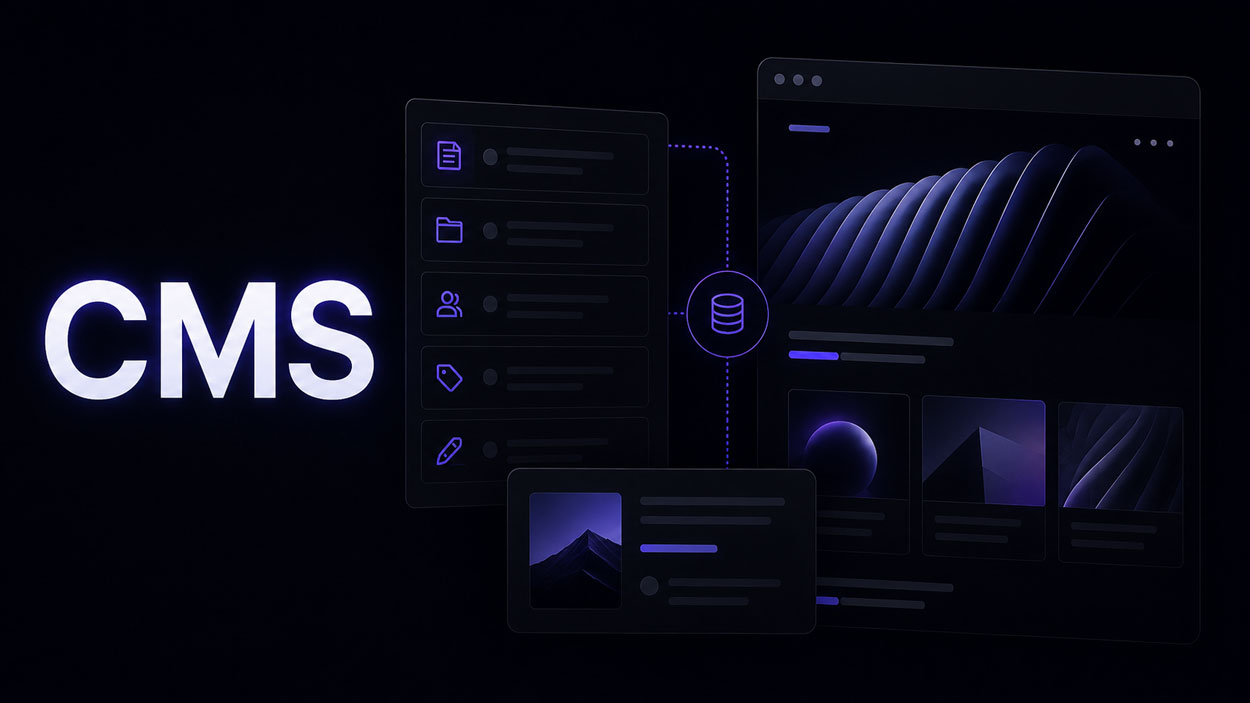
A CMS is not simply the place where you change a paragraph or replace an image. When it is designed properly, it becomes the structure that allows a website to grow without rebuilding the layout every time new content is published.
CMS stands for Content Management System. The principle is simple: content is managed as structured data, while the website decides where and how that data appears.
The choice affects editorial autonomy, SEO, maintenance, localization and the ability of the website to scale. This guide explains how a CMS works, how the main approaches compare and when Webflow becomes particularly useful.
What is a CMS?
A CMS is software that lets you create, organize, edit and publish website content without rebuilding each page manually.
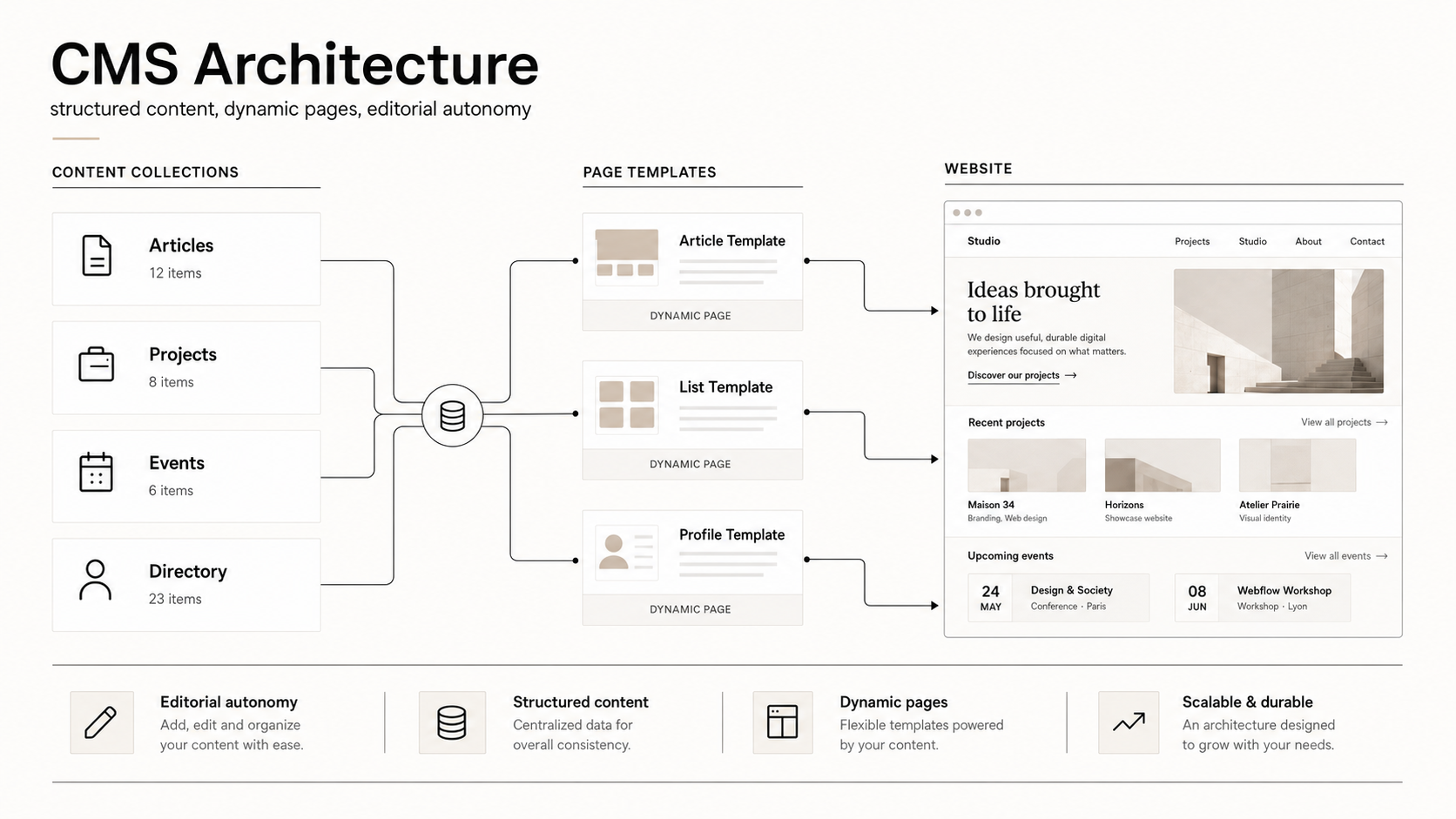
Take an architecture portfolio. Instead of designing a new page for every project, you create a “Projects” Collection with fields for the name, location, year, description, category, images and credits. One template controls the presentation. Every new project automatically uses that structure.
The same logic works for blogs, directories, catalogues, events, job listings and case studies. The useful question is not “How many pages will the website have?” but “Which types of content need to evolve without touching the design?”
What does a CMS actually do?
The first benefit is autonomy. The person managing the content does not need to understand HTML, CSS or responsive layout logic. They work with fields designed around the actual editorial workflow.
A CMS also makes it easier to publish faster, keep layouts consistent, reuse the same data in several places and apply SEO rules more reliably. For a business that publishes regularly, it is part of the website architecture, not just a back office.
How does a CMS work?
1. The content model
You define the types of content the website needs to manage. In Webflow these are CMS Collections. Each Collection contains only the fields the project needs: title, image, date, category, reference, gallery or SEO fields.
2. The data
Each item becomes structured data, independent from the page layout. It can then be filtered, sorted, related to other content or reused elsewhere on the site.
3. The templates
The layout is designed once. CMS fields are connected to the template and each new item automatically fills the existing structure.
4. Editing permissions
The right people should be able to update content without unnecessarily exposing the full website design or development environment.
CMS vs website builder: what is the difference?
A website builder is mainly used to compose pages visually. A CMS is used to structure and reuse content. The two can work together: Webflow, for example, combines a visual Designer with a dynamic CMS.
The distinction matters once a website grows from a handful of static pages to dozens of projects, articles or localized entries. Managing every page manually quickly becomes difficult to maintain.
What are the main types of CMS?
Open-source CMS
WordPress is the best-known example. Its ecosystem is large and flexible, but that freedom comes with more decisions around plugins, updates, hosting and maintenance.
SaaS and visual-first CMS
Platforms such as Webflow combine CMS, hosting and visual development. This approach works particularly well for brand websites, portfolios and editorial experiences where design quality matters as much as client autonomy.
Headless CMS
Contentful, Sanity and Strapi focus on storing and delivering data through APIs to one or more front-ends. This is useful when the same content needs to feed several digital products, but the architecture is generally more technical.
E-commerce CMS
For an online store, content is only part of the system. Products, variants, inventory, orders and payments become central. Shopify is therefore often the more logical commerce engine. On some projects I combine Webflow for the brand experience and Shopify for commerce, as explained in my Webflow + Shopify guide.
Which CMS should you choose?
There is no universally best CMS. The better question is what the website needs to support in two or three years, not only at launch.
- Webflow: strong for brand websites, portfolios and marketing sites that need custom design and a clear CMS.
- WordPress: useful for some editorial projects or where its plugin ecosystem solves a specific requirement.
- Shopify: the natural choice when e-commerce is the core of the project.
- Headless: worth considering for multi-channel architectures or highly specific front-ends.
If your decision is mainly between the two platforms most often compared for professional websites, read my Webflow vs WordPress guide.
.jpg)
Why Webflow CMS works well for design-led websites
Webflow combines structured content with precise visual control. That makes it possible to build a site that is easy to manage without falling back on a generic template system.
Webflow’s next-generation CMS supports richer dynamic pages and deeper content structures. Webflow explains the current CMS architecture in its official update
How far can you customize Webflow CMS?
Much further than a standard blog. Depending on the project, Webflow CMS can power dynamic portfolio layouts, filterable directories, relationships across multiple Collections, conditional sections, multilingual structures and gated content connected to Memberstack.
It can also drive dynamic SEO fields, structured data and integrations with Shopify, Make, Zapier or external APIs. The goal is not to add complexity for its own sake, but to build a structure that matches how the website actually needs to work.

My approach: design the CMS together with the website
I start with the real workflow: what the team publishes, which information repeats, which fields are required, which sections are optional and how the site is likely to evolve.
From there I design the Collections, relationships, templates, conditional logic, SEO structure and integrations. For the client, the result should feel obvious: add the content, choose the right options, publish. The complexity belongs in the system, not in the editing process.
See my custom Webflow development service.
Moving fast matters. So does getting it right. Most AI tools make you choose between the 2.
— Webflow (@webflow) July 21, 2026
With Webflow MCP 2.0, you can build fast without sacrificing the quality, control, or governance production sites demand. Try it out today.
👉 Learn more. https://t.co/nsPp5lc1jq pic.twitter.com/IEIVinnfAU
AI and CMS: managing Webflow with MCP 2.0
With Webflow MCP 2.0, a compatible agent can work directly with the site structure and CMS data instead of simply generating text to copy and paste.
For CMS management, this becomes useful for repetitive work: creating or updating items, finding incomplete content, preparing bulk changes or checking selected SEO fields.
A practical example
On a portfolio with 120 projects, an agent can identify pages without meta descriptions, hero images without alt text or categories that use inconsistent naming. It can prepare corrections from the existing content and keep the changes as drafts for review.
This is where AI is most useful: auditing, maintenance and repetitive operations. It works much better once the content model is already clear. Webflow explains MCP 2.0 in more detail on its official blog.
Three real CMS examples
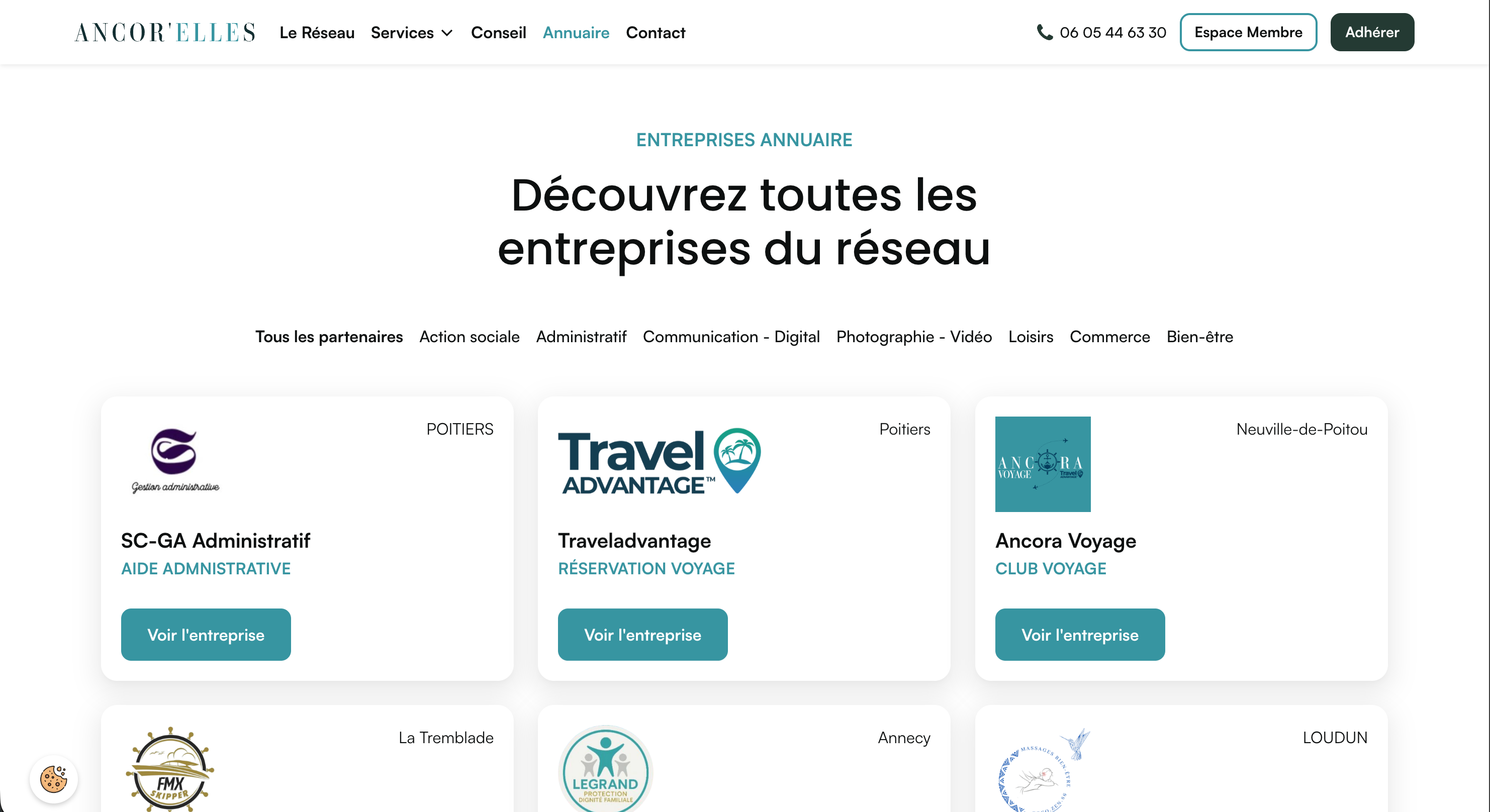
Ancor’ElleS: a manageable business directory
For Ancor’ElleS, the CMS powers a professional directory. Each company has a structured profile and the client can add a new member without rebuilding a page.
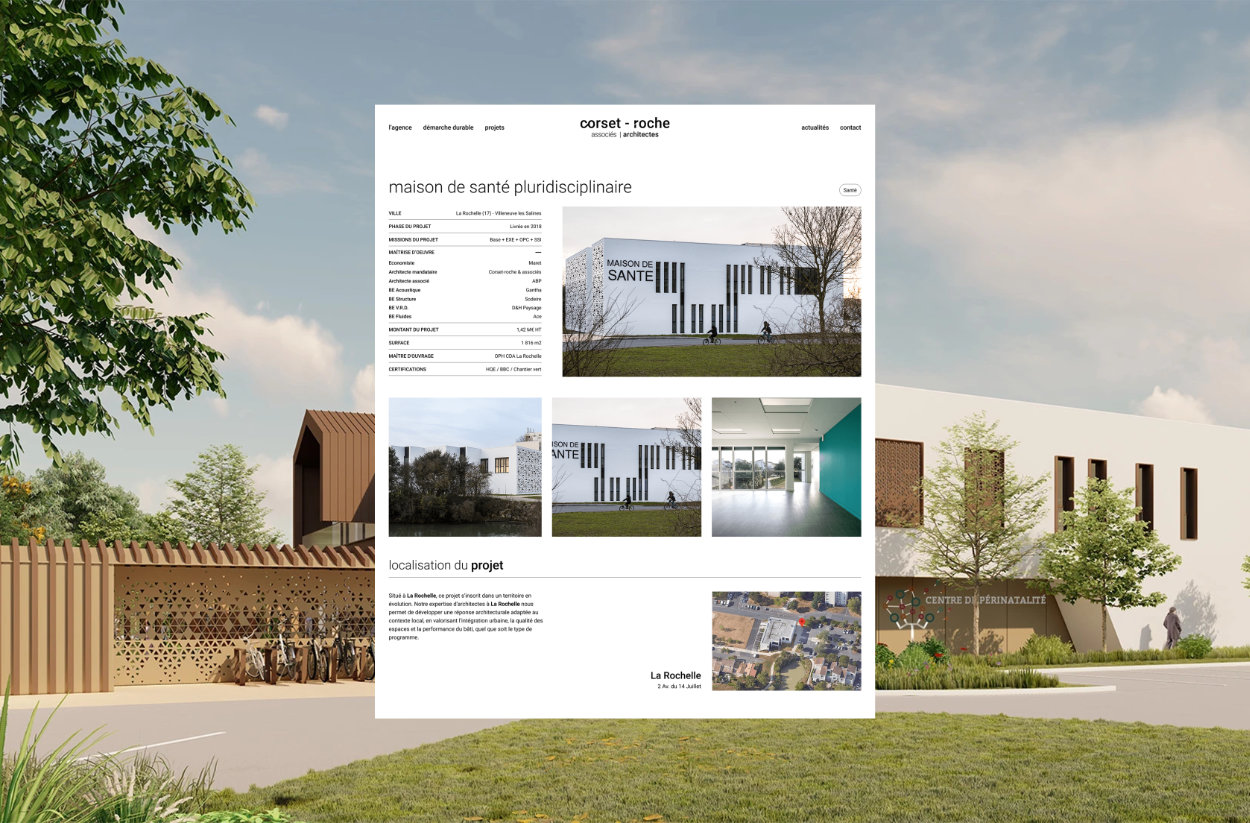
Corset-Roche & Associés: more than 200 references
The website for Corset-Roche & Associés uses CMS fields, categories, media and templates to manage more than 200 architecture projects consistently.
CIAOMONDO: content and membership
With CIAOMONDO, Webflow structures the content while Memberstack manages accounts, subscriptions and access permissions.
.avif)
CMS and SEO: structure matters as much as content
A CMS does not automatically improve rankings. It simply makes good practices easier to apply consistently: dynamic titles and meta descriptions, clean URLs, stable heading structures, alt text, structured data and internal linking.
I cover this in more detail in my guide to Webflow SEO and AI visibility.
When should you change CMS?
A migration is worth considering when the current CMS creates recurring friction: routine publishing requires a developer, maintenance has become fragile, content is duplicated or the data model no longer reflects how the website works.
The change only makes sense if it genuinely simplifies the system. A serious migration should preserve URLs, 301 redirects, metadata, content, images and relationships to reduce SEO risk.
Conclusion
A CMS is ultimately a way to organize and operate a website. Webflow, WordPress, Shopify and headless platforms can all be good choices depending on the context.
For the design-led websites I build, Webflow is often particularly effective because content structure, design, responsive behavior, SEO and editorial autonomy can be planned together.
If the problem is not the website itself but the way content is organized behind it, I can review the CMS architecture before touching the visual design. Explore my Webflow service or tell me about your project.
FAQ
What is a CMS and what is it used for?
A CMS, or Content Management System, is software used to create, organize and publish website content without rebuilding every page manually. It separates structured content from presentation, so templates control how that information appears across the site.
Which CMS should I choose for a website?
The right CMS depends on the project. Webflow is strong for design-led brand, portfolio and marketing websites, WordPress remains useful for some editorial and plugin-heavy projects, Shopify is a better fit for advanced commerce, and headless CMS platforms suit multi-channel or highly technical architectures.
Is Webflow a good CMS for a business?
Yes, especially when a business needs a custom-designed website with structured content and an editing workflow that remains simple for non-technical teams. The right setup still depends on content volume, integrations and editorial requirements.
How can AI and Webflow MCP 2.0 help manage a CMS?
Webflow MCP 2.0 allows compatible agents to work with real site structure and CMS data. They can help find incomplete content, prepare bulk updates, create or modify CMS items and check selected SEO fields while keeping changes in draft for review.
When should you consider changing CMS?
A CMS migration becomes worth considering when routine publishing needs developer help, maintenance is fragile, content is duplicated or the content model no longer matches how the website works. A migration should preserve URLs, redirects, metadata and existing content to reduce SEO risk.