UX Design: How to Improve Your Website’s User Experience

UX design makes a website useful, understandable and easy to use for the people it serves. For a business website, that means answering practical questions: can visitors understand the offer, find the information they need and send an enquiry or access their account without confusion?
A polished interface is not enough when the journey remains unclear. Improving UX does not always require a complete redesign either: clearer navigation, a better organised form or a useful error message can address a specific problem.
UX and UI: complementary roles
UX, or user experience, covers user needs, information structure, journeys and ease of use. UI, or user interface, expresses that structure on screen through typography, colours, components, states and visual hierarchy.
For example, deciding which information a form needs is a UX decision. Arranging its fields, labels and errors also involves UI. Both need to work together, with attention to accessibility and the mobile context.
1. Understand users and their tasks
Before designing a page, identify what visitors are trying to accomplish. Client conversations, incoming questions, internal searches and usability tests can help separate an observed need from an assumption.
On a services website, the task might be to assess expertise and request a quote. On a course platform, it may be to compare subscriptions, sign up and find a session. Each goal requires a different journey.
The starting question is therefore not only “what should this page look like?”, but “what decision or action should it help someone complete?”.
2. Structure information before designing the interface
A clear information architecture organises content around those tasks. Menus, categories and labels should help visitors understand where to go without knowing how the business is organised internally.
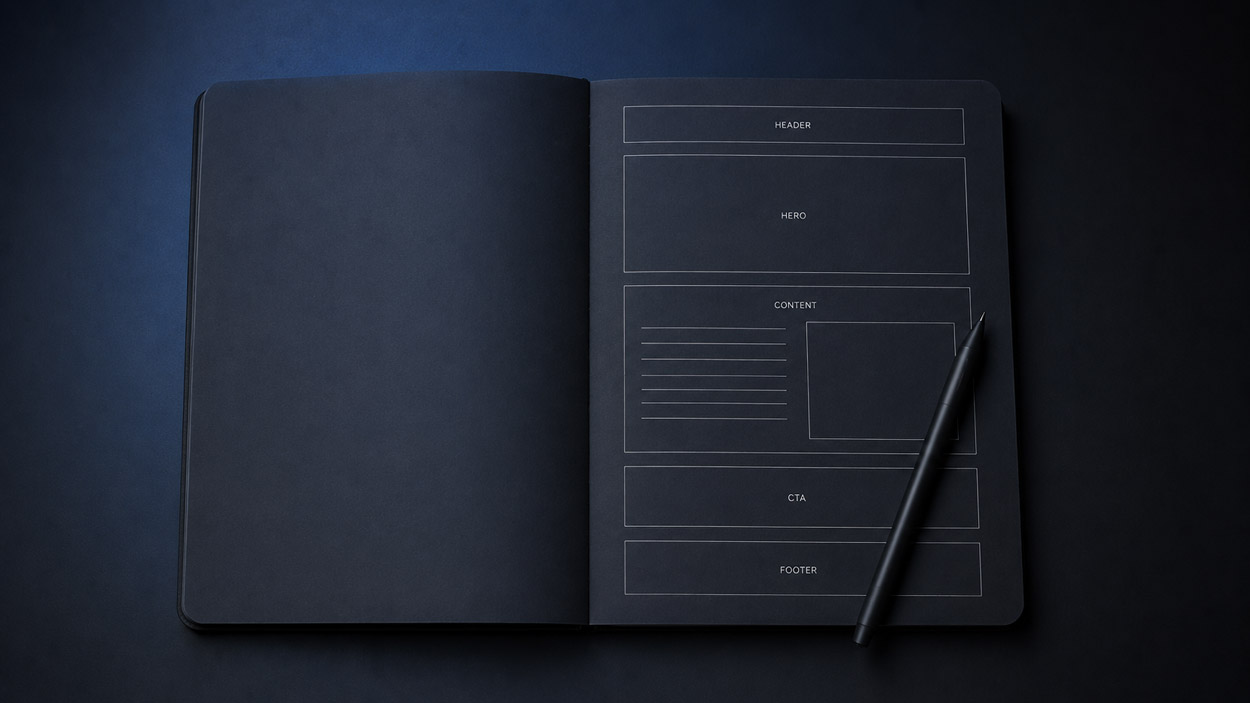
I start by connecting pages and journey steps, then use website zoning to establish the position and priority of content blocks. Wireframes make it possible to assess hierarchy and interactions before refining the interface in Figma.
This also helps distinguish what needs to be visible immediately from what can be explored later, while retaining the information required to make a decision.

3. Reduce friction along the journey
Friction appears when visitors have to guess the next step, provide unnecessary information or repeat an action without understanding why. To identify it, I map the full journey from the landing page to confirmation.
An example of a change to test: on a quote enquiry form, separate essential fields from details that can be requested later. Explicit labels, errors next to the relevant fields and a clear confirmation can help users complete the task. The effect still needs to be tested rather than assumed.
On mobile, those decisions also need to work with a narrower screen, an on-screen keyboard and touch navigation.
A real example: CIAOMONDO’s membership journeys
For the CIAOMONDO platform built with Webflow and Memberstack, I designed sign-up and login journeys adapted to monthly, annual and free-trial plans. The journey connects the offer, plan selection, Stripe checkout and access to protected content.
The work extends beyond the sign-up button: redirects after login, access rights, errors and password resets are also part of the experience. The case study documents these decisions and their CMS integration.
4. Use visual design to clarify actions
Visual design should make reading and action easier. A consistent hierarchy distinguishes the heading, useful information, primary action and secondary options. Contrast, labels, keyboard focus and component states all contribute to that clarity.
A button can be highly visible yet ambiguous if its label does not explain what happens next. I aim to align appearance, content and expected behaviour instead of adding visual effects without a clear purpose.

5. Test, measure and improve
To assess a proposal, define an observable task: find a price, choose a plan or send a message. A usability test can reveal hesitation, errors and steps where someone needs help.
Depending on the project and available data, useful measures include task completion, errors and successfully submitted forms. Comparisons need consistent conditions: changes can also reflect traffic quality, the offer or seasonality.
Engagement metrics can help investigate a problem. On their own, they do not demonstrate an improvement in Google rankings or establish that a UX change caused a commercial result.
Where should you start on your website?
Choose one journey that matters to the business. Record the intended action, pages involved and observed difficulties, then test a focused correction before expanding the work.
My freelance UX/UI design service connects that thinking with Figma design and Webflow development. If you want to clarify a journey or prepare a redesign, tell me about your project.
FAQ
What does UX design improve on a website?
UX design helps identify visitors’ needs, organise information and make important actions easier, such as finding an offer, requesting a quote or accessing an account. Changes should be assessed through tests and observations; they do not guarantee higher conversion rates.
What is the difference between UX and UI design?
UX covers user needs, journeys, content structure and ease of use. UI covers how those decisions are presented and behave on screen through typography, colours, components and states. They work together to create a clear, accessible interface.
How do UX design and SEO complement each other?
Clear structure, understandable navigation and relevant links make content easier for visitors and search engines to access. That does not make every engagement metric a ranking factor: a change in bounce rate or time on site does not establish an SEO gain on its own.
How can you check whether a UX improvement works?
Define a specific task, such as choosing a plan or submitting a form. Observe completion, errors and hesitation before and after the change under comparable conditions. Interpret the findings in context: traffic, the offer and seasonality can also influence results.
Can UX be improved without rebuilding the whole website?
Yes, a focused journey can sometimes be improved through navigation, content, form or hierarchy changes. A review helps distinguish local fixes from a broader restructuring need. The scope depends on the observed problem and the condition of the site.